

This scenario shows how a storage administrator configures the Metrics Panel to monitor critical storage group space usage and create a metrics dashboard. Monitoring this data is important because when you reach the threshold, you must allocate more space to avoid abends.
The Metrics panel displays storage group statistics metrics. From the Metrics panel you can view the data in a chart on your dashboard and launch the Investigator for deeper analysis.
In this scenario, the storage administrator monitors critical storage group space usage in a metrics chart that indicates when usage nears or exceeds the maximum defined threshold value. When usage nears or exceeds the maximum defined threshold value, the allocated space in the critical storage group can be adjusted using the appropriate Administrative Action in the Investigator.
The following illustration shows how a storage administrator configures the Metrics panel, sets thresholds, and creates a metrics dashboard in the CA Chorus interface.
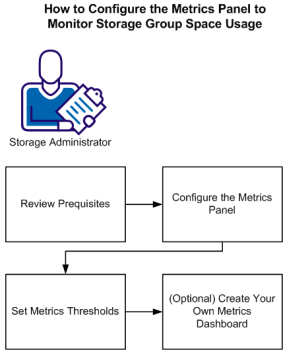
To configure the Metrics panel to monitor storage group space usage, do the following:
|
Copyright © 2013 CA Technologies.
All rights reserved.
|
|