

As a storage administrator, you want enough storage space available in crucial storage groups.
Consider the following example: During working hours, you receive an Alert that tells you a storage group is getting exceptionally low on space. You know that you have already set up a storage engine General Object Automation (GOA) script that is scheduled to execute at midnight. The GOA script frees up additional space on the item referenced in the Alert. You want to free up additional space immediately so you know that enough space is available before you leave for the day.
This scenario shows how you can execute the GOA script online from the Investigator that frees up additional space immediately.
The following illustration shows how a storage administrator locates the General Object Automation Scripts object and then fires the script that frees up space in a storage group immediately.
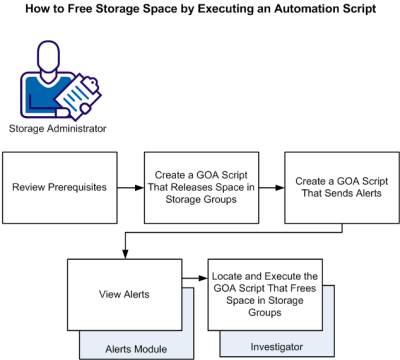
To free up storage space immediately by executing an automation script, do the following:
|
Copyright © 2013 CA Technologies.
All rights reserved.
|
|