

Your company invests significant resources to keep your system safe. As a security administrator, you monitor, analyze, and address potential threats. CA Chorus offers several tools to help you complete these tasks. Use the Metrics panel to monitor performance metrics for your systems. Use the Investigator to drill down into the data to discover the reasons for anomalies such as spikes or drops.
Unexpected spikes or drops in metrics may represent a potential problem or threat to your system. You can set thresholds for metrics. When thresholds are met or exceeded, the Metrics panel displays an alert. Adjust threshold values as conditions on your system change.
Example: A spike in user signon validations
Throughout the day, you monitor the Metrics panel. Suddenly, the number of user signon validations (RACROUTE REQUEST=VERIFY) spikes beyond the typical threshold, and the metric color changes. This change alerts you to investigate whether an attacker is attempting to break into the system by guessing passwords. This example explains how you analyze such a spike. Optionally you can adjust the threshold for that metric to avoid unnecessary warnings.
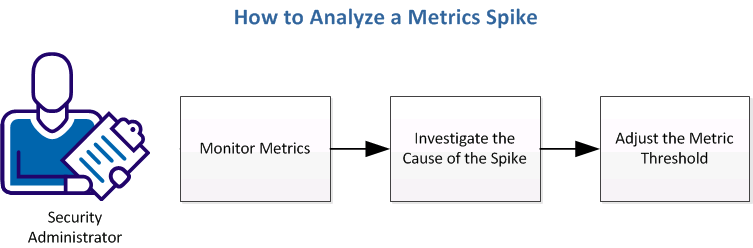
Complete the following tasks to analyze a potential threat:
|
Copyright © 2013 CA Technologies.
All rights reserved.
|
|