

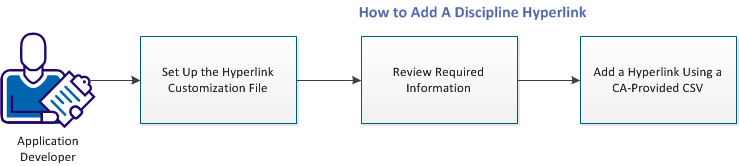
This scenario shows how an application developer adds a discipline hyperlink to access data and tools quickly and respond to requests to troubleshoot issues. Each hyperlink in the Quick Links module provides shortcut access to various interfaces. Many companies create their own tools to manage various tasks or house data. Adding a link to these components in this module can help you efficiently manage tasks and your time from CA Chorus.
The following illustration shows how an application developer adds a discipline hyperlink:
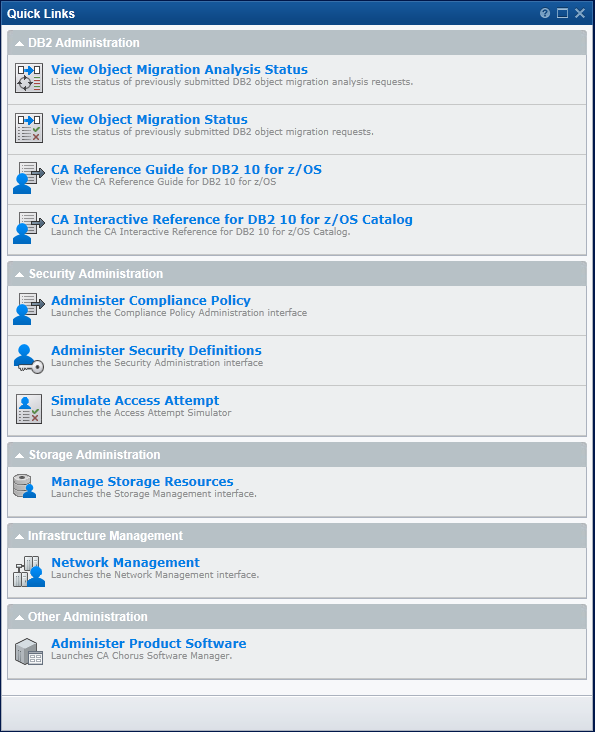
The default hyperlinks display by discipline. However, the links that you add are not necessarily specific to a discipline. The following diagram shows the module layout and default links for each discipline:
Note: Disable pop-up blockers for your browser before you access hyperlinks through the Quick Links module.
Use the following topics to add a hyperlink:
|
Copyright © 2015 CA Technologies.
All rights reserved.
|
|