

All CA Chorus administrators, regardless of discipline, can customize the workspace to monitor performance data. Doing so simplifies the problem diagnosis and resolution. Customization also improves productivity when navigating multiple systems.
This scenario explains how a CA Chorus administrator configures the workspace to monitor performance data. Workspace configuration can include setting up multiple dashboards and modules.
The following illustration shows how a CA Chorus administrator configures the workspace:
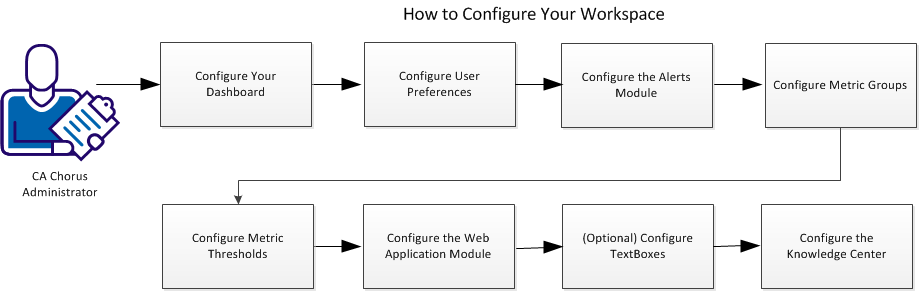
To configure your workspace, complete the following tasks:
|
Copyright © 2015 CA Technologies.
All rights reserved.
|
|