

Storage administrators must identify and remove uncataloged duplicate data sets, which can lead to incorrect input to production jobs. Uncataloged duplicate data sets are defined as data sets with the same name on different volumes that are not portions of a multiple volume data set.
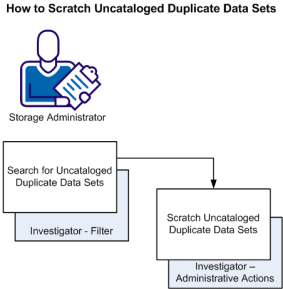
This scenario shows how a storage administrator identifies uncataloged duplicate data sets and removes (scratches) uncataloged duplicate data sets.
Duplicate data sets tend to appear on all systems. The cataloged versions are usually the correct ones. The uncataloged versions are usually the invalid ones created when a problem arose. The leftover uncataloged versions can cause more problems. Uncataloged duplicate data sets build up over time and can occupy (waste) a significant amount of disk space. They can also cause allocation errors even though the requests are valid, but they select volumes where the old uncataloged data sets with the same names are found. If such allocation failures are within important applications, the impact and recovery can be severe.
Important! If you have multiple z/OS systems available, most of your z/OS system data sets on the various system packs appear as duplicates; at least one set for each system. The data sets connected to the running system appear cataloged to that system, while all others do not. Exclude intended duplicates from analysis and cleanup.
The following illustration shows how a storage administrator identifies uncataloged duplicate data sets and scratches the duplicate data sets.
Follow these steps:
The Investigator opens.
In the Duplicate Data Sets object, you expect to see at least two entries, if not more, for each Data Set Name (DSN). When only one entry is shown, a filter has been used which excludes the entry or entries on the other volumes. This filter can lead to a single DSN entry for a duplicate data set, because its duplicates reside on the excluded volumes.
Cat = N
The object displays with only the duplicate data sets in your system that are not cataloged. You have identified uncataloged duplicate data sets that can be potentially scratched.
The Actions dialog opens.
Important! When you submit this action, the storage engine scratches the uncataloged duplicate data sets.
A message appears in the action dialog saying the uncataloged duplicate data sets are scratched. The scratched items remain listed in the Duplicate Data Sets object until the data set table of contents (DTOC) refresh occurs, which is dependent on your site setup.
You have scratched uncataloged duplicate data sets, freed wasted space, and minimized the likelihood of allocation errors. Because uncataloged duplicate data sets can build up again over time, we recommend that you perform this scenario periodically.
|
Copyright © 2013 CA Technologies.
All rights reserved.
|
|