

The Time Series Facility (TSF) provides a single point for collection, storage, management, and organization of product data. When you request a Time Series chart in the Investigator, CA Chorus displays the data stored in the TSF database. The Investigator helps you view and analyze information stored in role-specific data repositories by providing multiple work areas (panes) to help you manage your data.
This scenario shows how a system administrator can customize the TSF database to optimize its performance. The following illustration describes the tasks to customize the TSF database:
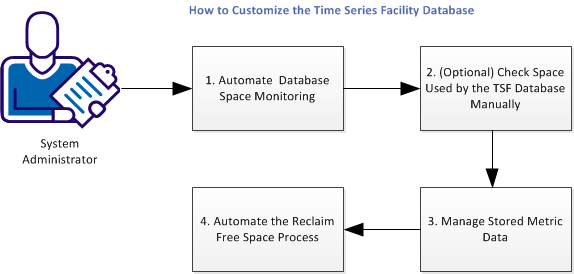
Note: For the first and fourth tasks, you identify CA Chorus messages and then define them as triggers in your automation product, such as CA OPS/MVS.
Perform the following tasks to customize the TSF Database:
|
Copyright © 2015 CA Technologies.
All rights reserved.
|
|