

The following illustration shows the primary elements that work together to provide the Notification Website. The notification website provides a desktop application, which is suited for use on a desktop or laptop computer. The website also provides a mobile application, which is suited for use on a smartphone.
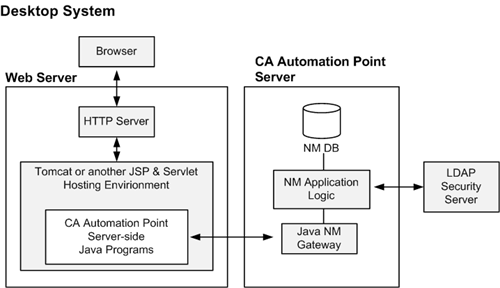
This illustration shows a separate web server and a CA Automation Point server; however, a site could also configure the web server functionality directly on the CA Automation Point Server.
Note: Your web server environment must provide a servlet hosting facility. CA Automation Point redistributes the free Apache Tomcat servlet hosting application for those sites that do not have their own servlet hosting software. For details, see the CA Automation Point Administrator Guide.
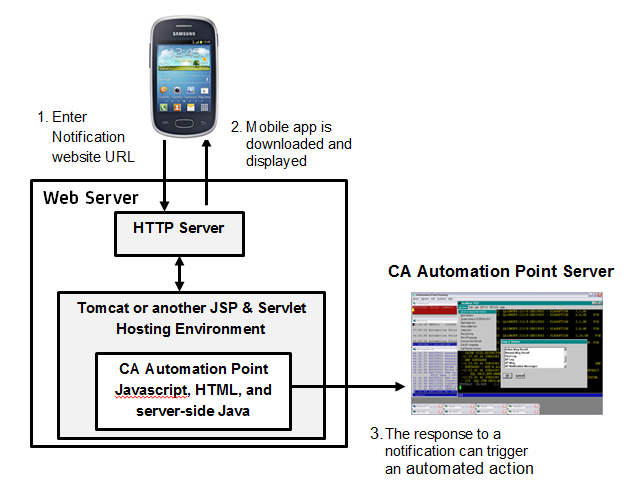
Bundled into the notification website is a mobile-friendly website. The mobile website is automatically available when the notification website is enabled. The mobile website enables users to view their notifications and to respond to notifications from smartphones. The elements of the mobile website fit into the design that is shown in the previous diagram. The following diagram shows the elements specific to the mobile functionality.
|
Copyright © 2014 CA Technologies.
All rights reserved.
|
|