

The Text-to-Speech notification feature of CA Automation Point delivers spoken messages over your TCP/IP network. If the receiving PC is capable of using the Microsoft Agent technology (Microsoft Windows 7/Server 2008 R2/8/Server 2012/8.1/Server 2012 R2), the text message is spoken by an animated Microsoft Agent character.
If the platform is not capable of running the Microsoft Agent technology (Microsoft Windows 7/Server 2008 R2), a dialog box displays containing the message text, and this message text is sent through the Microsoft Speech API (SAPI) for text-to-speech processing.
The following illustration shows how text-to-speech notification works.
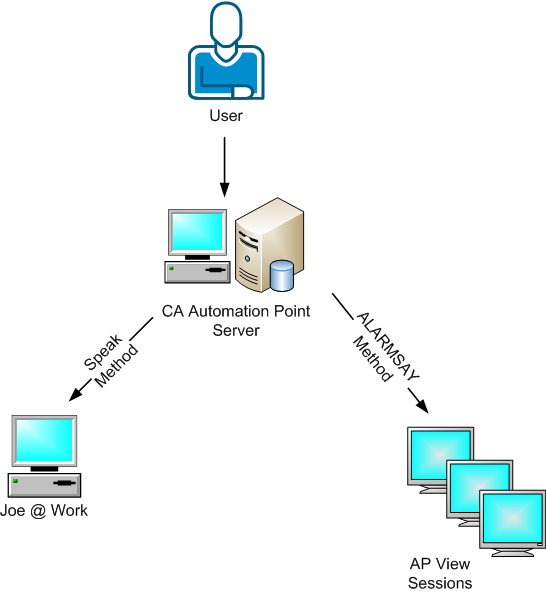
Two mechanisms are used to produce the text-to speech capability:
The AP Listener icon is in the Status Tray Area of the receiving system. The appearance of the icon represents different states of the notification queue.
|
Copyright © 2014 CA Technologies.
All rights reserved.
|
|