

The distributed model is typical of web-based applications whose components are distributed across the web tier, application tier, and data tier, and require a secure zone between its web servers and application servers. The other reasons for deploying RiskMinder in a distributed model are:
In a distributed-system deployment, RiskMinder components are installed on different servers. This is done for security, performance, and to enable multiple applications to use the risk-evaluation functionality.
This deployment model is typically used for production deployments or for staging environments.
For example, the most common deployment is to install RiskMinder Server on one system and one or more web applications on additional systems. Because the deployment covers more than one system, an architecture diagram is included that indicates which systems must be able to communicate with each other.
To perform a distributed-system deployment, you must select the Custom installation option (See "Installing on the First System" for more information) in the RiskMinder installer.
The diagrams in this section depict several possible options, where prerequisites and RiskMinder components can be installed on multiple systems:
The following sections help you achieve your deployment decision.
The following figure illustrates RiskMinder using Java SDKs with a single application.
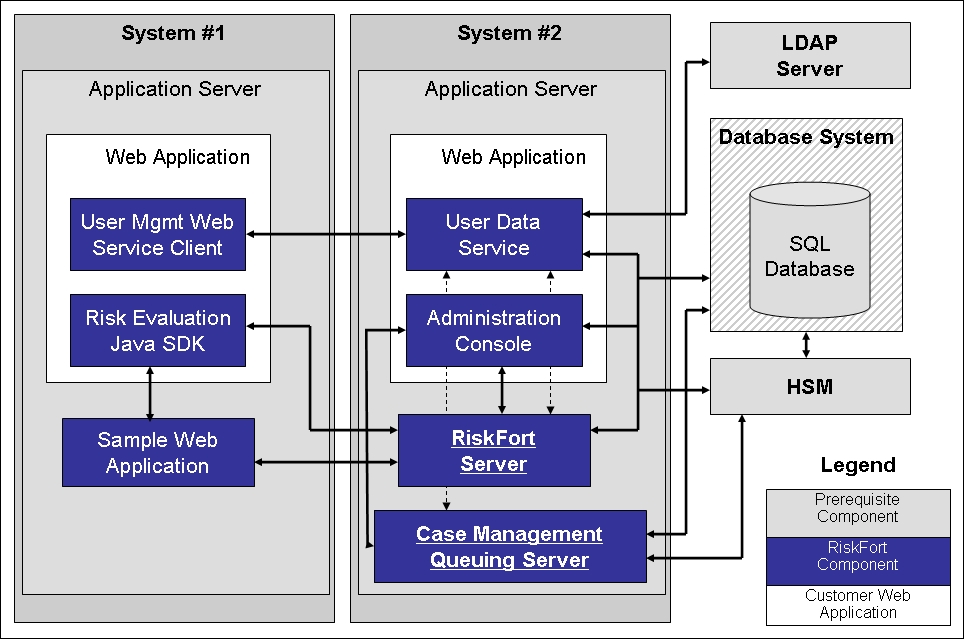
Note: Administration Console can be installed on any individual system, every system, or on a system that is not listed in the diagrams.
The following figure illustrates RiskMinder deployment using Java SDK with multiple applications.
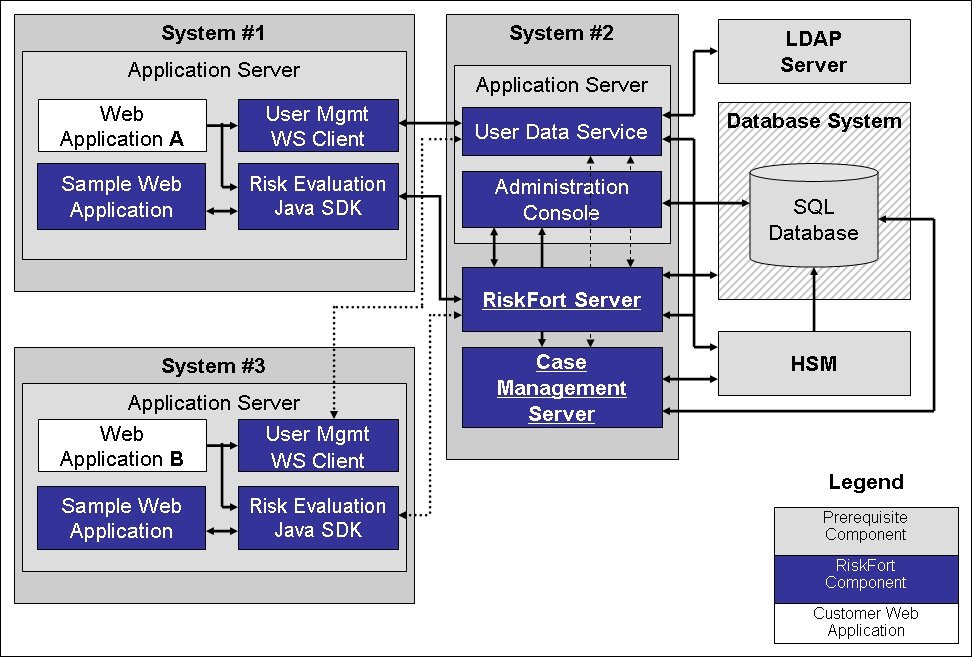
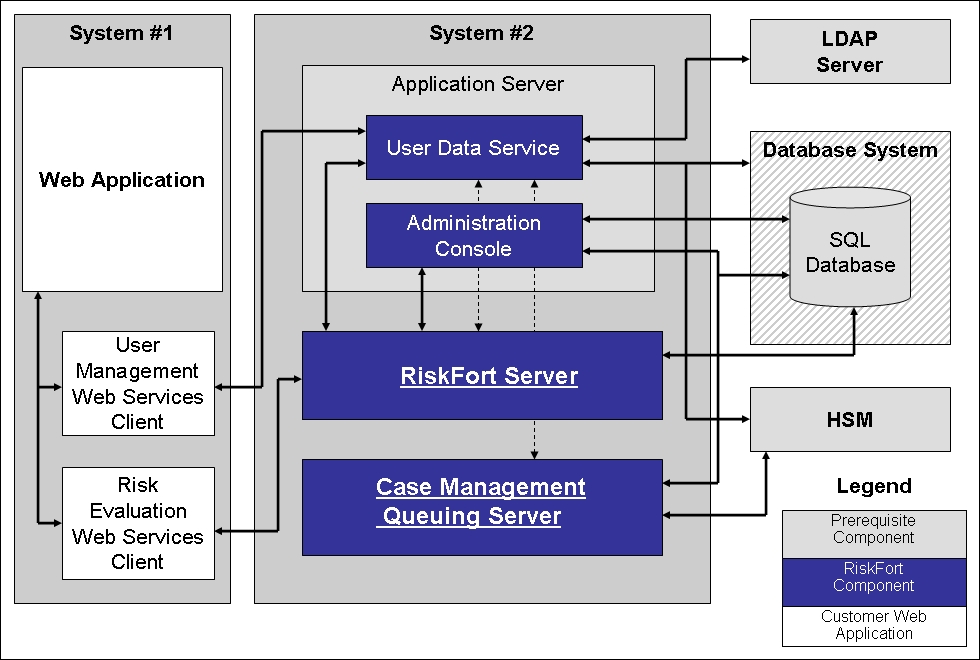
The following figure illustrates RiskMinder deployment using Web services on a single application.
|
Copyright © 2013 CA.
All rights reserved.
|
|