

If a user forgets their ArcotID PKI password, then Forgot Your Password (FYP) workflow can be used to reset the password.
In this method, the user is prompted to answer the questions, which they had set during enrollment or you can use any other customized method of your choice.
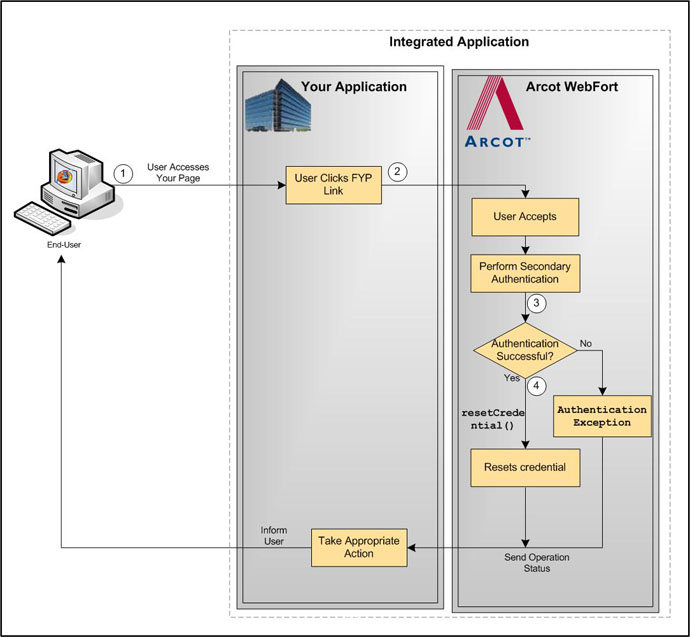
The typical steps for FYP workflow are:
User specifies the user name to log in.
Because the user does not remember their password, they click the FYP link.
Based on the secondary authentication mechanism that you are using, the appropriate pages are displayed to the user. For example, the user can be prompted to:
If the secondary authentication was successful, then your application must invoke the resetCredential() function in the CredentialIssuance interface. Your application prompts the user for new password and pass this as input for resetCredential() function.
See "Resetting Credentials" for more information on the APIs used to reset the credential.
The following figure illustrates the Forgot Your Password workflow:
|
Copyright © 2013 CA.
All rights reserved.
|
|