

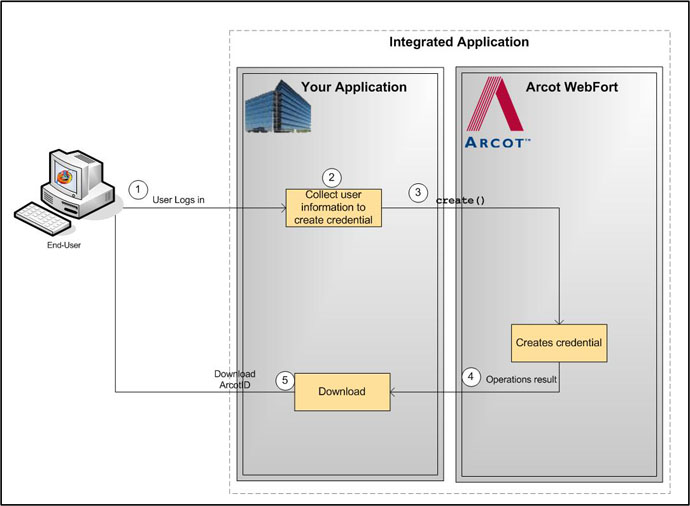
The typical steps to migrate all users are:
The users log in to your application by using your existing authentication method.
Your application can either display the appropriate pages to the user. For example, you can prompt the user to set the password for ArcotID PKI or you can set the existing password as the ArcotID PKI password, and collect questions and answers if Question and Answer (QnA) is used for secondary authentication.
Your application invokes the create() method in the CredentialIssuance interface to create ArcotID PKI for the user.
If the create operation was successful, then user’s ArcotID PKI is returned.
If the create() function was successful, then the application downloads the ArcotID PKI to the enduser’s system without any user interaction.
The following figure illustrates the workflow for migrating all users in the system:
|
Copyright © 2013 CA.
All rights reserved.
|
|