

The following diagram, which represents the back of the appliance, shows how a 1-Gbps adapter identifies ports internally.
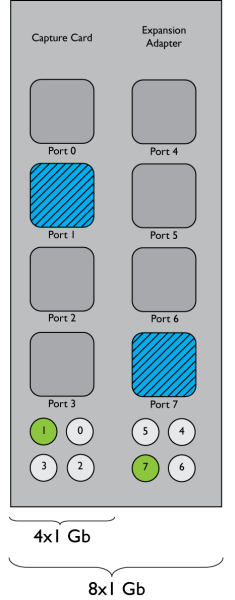
Below each series of four ports is a set of four lights. As each cable is connected, its corresponding light is illuminated. In this illustration, Port 1 on the four-port adapter is cabled and active. Port 7 on the four-port expansion adapter is similarly cabled and active.
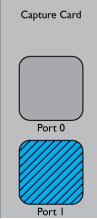
In the following diagram, Port 1 is cabled and active on the adapter for the 2x10-Gbps configuration.
|
Copyright © 2014 CA Technologies.
All rights reserved.
|
|