

Observations are the number of monitored TCP transactions occurring during a specified time interval. Observations are opportunities for metric measurement. Specify a minimum number of observations for each metric to trigger an investigation and avoid notification unless a meaningful amount of traffic is present.
Observation counts appear in the management console views as a gray line. The axis on the right indicates the number of observations and is exponential, which includes count variations in the views.
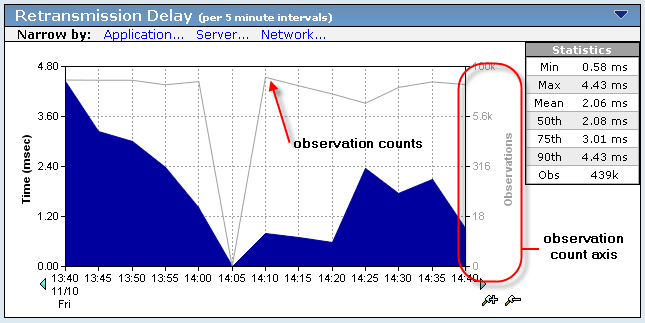
Observation counts indicate utilization. The higher the observation count, the more heavily used the application, server, or network.
Use the observation count to determine an event’s significance. A high number of observations indicates that an event might impact many users, applications, or servers. If the number of observations for a server decreases concurrently with an increase in Server Connection Time, the increase in Server Connection Time might indicate that another operation, such as a backup, is running on the server.
|
Copyright © 2015 CA Technologies.
All rights reserved.
|
|