

Using the Management Console › Report Page Navigation › Navigate to a Report
Navigate to a Report
Access detailed information from the Operations reports by clicking links in the reports and other elements in the user interface as shown in the following sample Performance report.
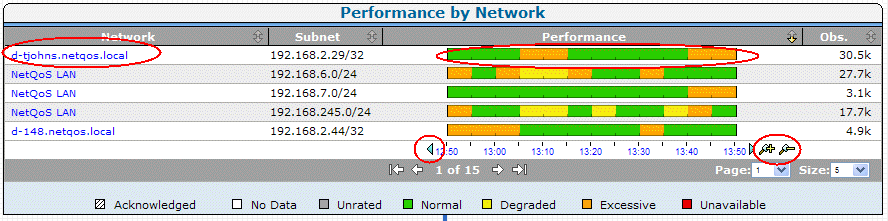
In the Performance report, view more information by doing the following:
- Clicking a network to view selected components for the network.
- Clicking arrows on the timeline to move the timeline backward or forward.
- Clicking the magnifying glasses to zoom in (narrow time frame) or zoom out (expand time frame).
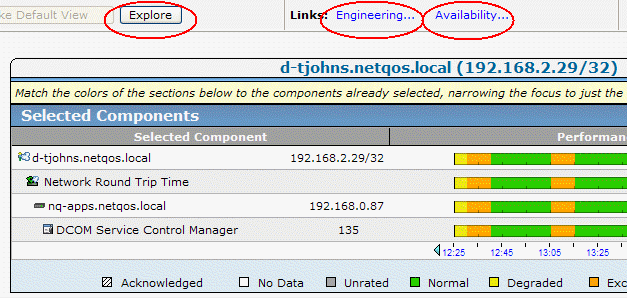
You can also click a link to a related report. In the following example, clicking:
- Explore displays the associated Metric Detail reports.
- Engineering displays the Components reports for the selected components.
- Availability displays the Availability reports.
Copyright © 2014 CA Technologies.
All rights reserved.
|
|