

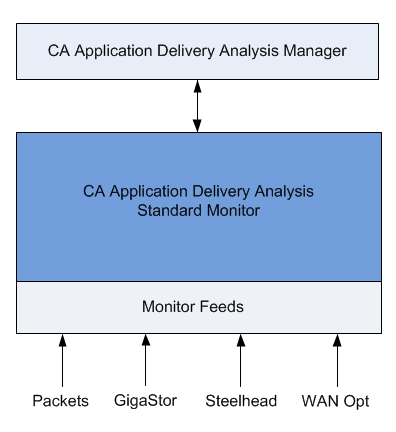
As shown in the following diagram, a CA Standard Monitor can receive and process performance data from several sources, including the:
Based on the list of application ports, servers, and client networks you specify, the monitor creates response time statistics for all the matching server-application-network traffic it observes. The management console uses this information to automatically monitor the busiest TCP applications on each server. You can also define the applications you want to monitor and then load this configuration on the CA Standard Monitor.
The management console evaluates the response time metrics from all monitoring devices to assign the best monitor feed to each server, and to monitor the busiest TCP applications on each server.
If you want to configure a CA Standard Monitor to receive packet digests from a CA GigaStor, we recommend that you do not configure the monitor to simultaneously receive mirrored packets.
Note that a Standalone management console receives mirrored TCP packets on its Packets monitor feed.
|
Copyright © 2014 CA Technologies.
All rights reserved.
|
|