

Create a Web application to report on the TCP response time of HTTP traffic. To monitor HTTP traffic, you must use a CA Standard Monitor.
Specify the resource path of the Web application that you want to monitor. The resource path must match what is in the HTTP Request header (GET, POST, HEAD, or TRACE). The management console uses the resource path to identify particular HTTP traffic on a Web server.
Important! If the management console only reports on the appname-Other application, verify by packet capture that the resource paths which you have specified match the HTTP Request header. In some cases, such as when monitoring web traffic that is traversing a proxy, it may be necessary for you to specify the full URL, for example, http://server/resource, rather than the resource path as shown in the examples below:
Identifies all HTTP traffic to CA Application Delivery Analysis. For example:
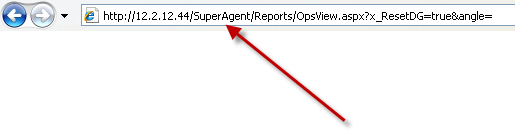
Identifies all HTTP traffic to the CA NPC. For example:
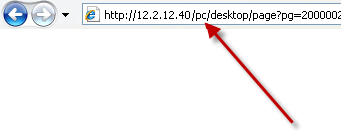
The management console creates a separate Web application for each resource path you define, and a appname-Other application to monitor all other HTTP traffic across all the servers that are assigned to the application. Use the appname-Other application to analyze resource changes on the Web site. For example, if the appname-Other application experiences a performance degradation, analyze the HTTP traffic on the server and, if necessary, add a resource path.
If you have a load-balanced Web application, assigning a server subnet to the application enables the management console to automatically monitor the response time of each resource path as servers are provisioned.
|
Copyright © 2014 CA Technologies.
All rights reserved.
|
|