

Interfaces provide the means for an application to communicate with appliances and the outside world. Raw interfaces are very similar to virtual network interfaces in virtual machines and to NICS (network interface cards) in traditional servers.
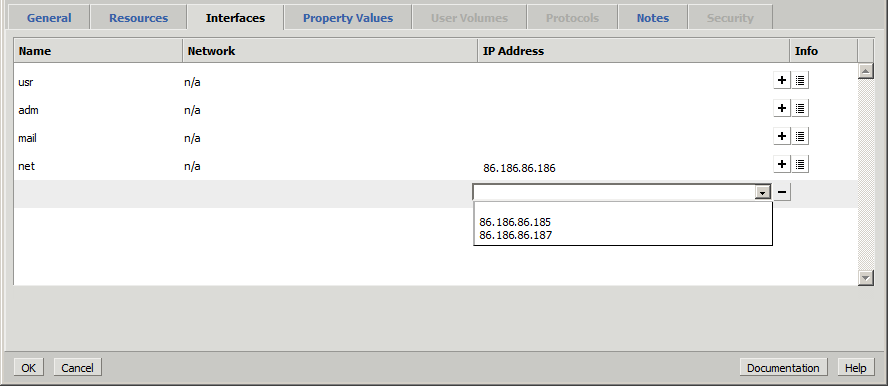
The Interface Name and Network fields display. You can specify the IP address or range of IP addresses for the interface by clicking the IP Address field and entering the IP address or displaying the selection list.
In addition, you can configure multiple IP addresses for a single interface. For example, you can run two identical applications on the same grid, but on separate servers, or on different grids, if the IP address is accessible from both grids. To specify multiple IP addresses click the + icon and enter or select the IP address or IP address range. To remove the additional rows, click the - icon.
The Info icon displays the Name Servers and IP Ranges.
|
Copyright © 2013 CA Technologies.
All rights reserved.
|
|