

As a backbone administrator, you use the Configuration Checklist to configure your network after the Backbone Fabric Controller installation completes. The Checklist displays all the required and optional items that must be configured before grids can be created. The configuration items are verified and a checkmark displays as they are completed. If all of the required parameters are configured, close the checklist.
If one of the optional or required parameters is not complete, the checklist display each time you log in to the BFC. In addition, all the required parameters are also checked when a new grid is created. You can create a grid after the configuration items are complete.
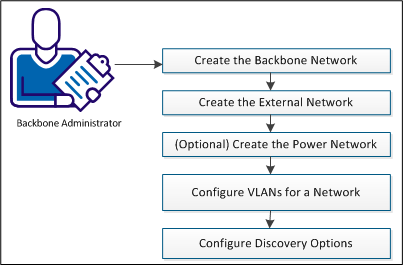
You can also use the Grid Planning Chart to better understand how to configure your network.
To configure the network, follow these steps:
|
Copyright © 2013 CA Technologies.
All rights reserved.
|
|