

|
|
|
CA Access Control for Virtual Environments requires a relational database management system (RDBMS).
Follow these steps:
https://enterprise_host:18443/iam/ac
Example: https://192.168.1.1:18443/iam/ac
The CA Virtual Appliance Configuration wizard appears, displaying the database information table:
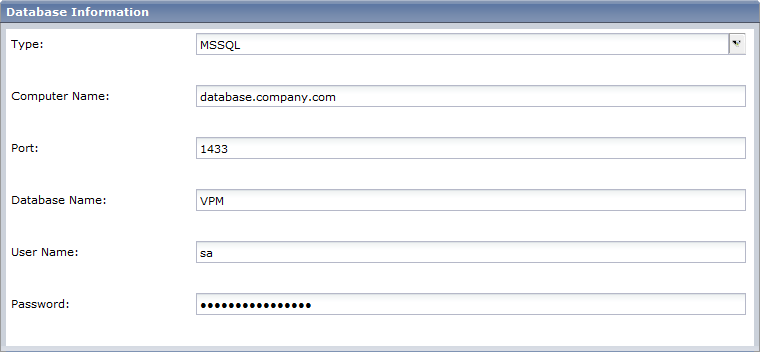
Database Type—Specifies a supported RDBMS.
Computer Name—Specifies the name of the host where the RDBMS is installed.
Port Number—Defines the port used by the RDBMS.
Database Name—Defines the name of the database you created.
User Name—Defines the user name that CA Access Control for Virtual Environments uses to connect to the database. Specify the user name you created when you prepared the database.
The server name configuration screen opens.
The installation program verifies the connection to the database before it continues. Now configure the user store connection information.
| Copyright © 2011 CA. All rights reserved. | Tell Technical Publications how we can improve this information |