

You can create a Full System EC2 High Availability scenario and replicate an entire on-premises Windows system into offline EBS-backed Windows AMIs that will be brought online should the master server fail. This procedure launches a Wizard that guides you through the steps required for High Availability scenario creation. However, properties can also be configured outside of the wizard.
To create a new full system EC2 High Availability Scenario
The Welcome screen opens.
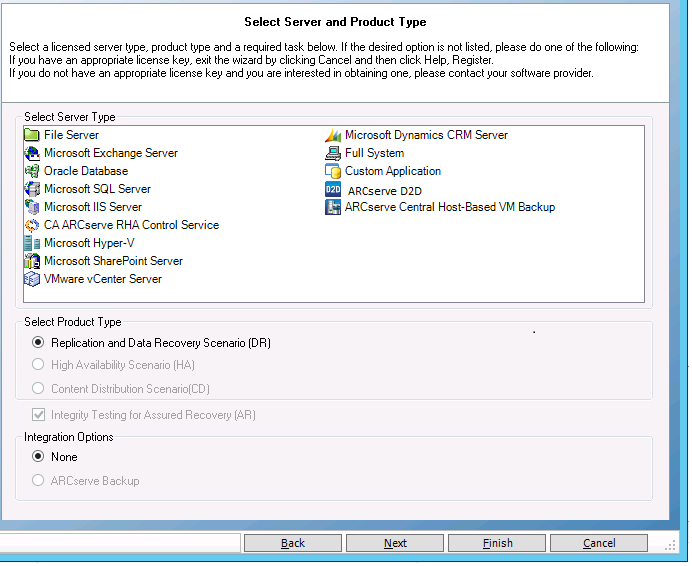
The Select Server and Product Type screen opens.
The Master and Replica Hosts screen opens.
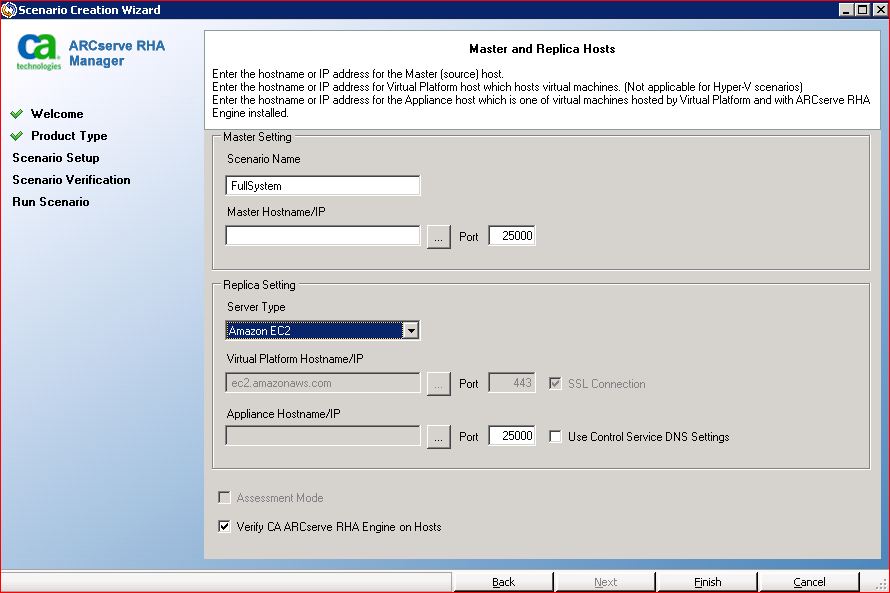
 button to browse for and select the AWS account and EC2 replica instance (appliance).
The Cloud Instance Selection dialog opens.
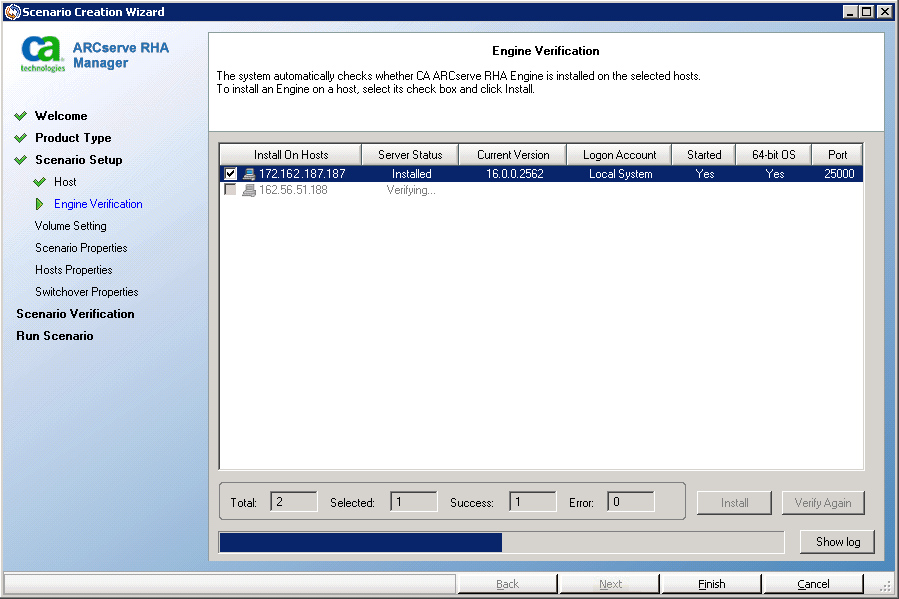
The Engine Verification screen opens.
The Volume Setting screen opens.
The Scenario Properties screen opens.
Note: Scenario properties control the entire scenario. These properties can also be configured outside of the Wizard. For more information, see Configuring Scenario Properties.
Note: The Network Adapter Mapping dialog opens if there are more than one replica network adapters.
The Master and Replica Properties screen opens.
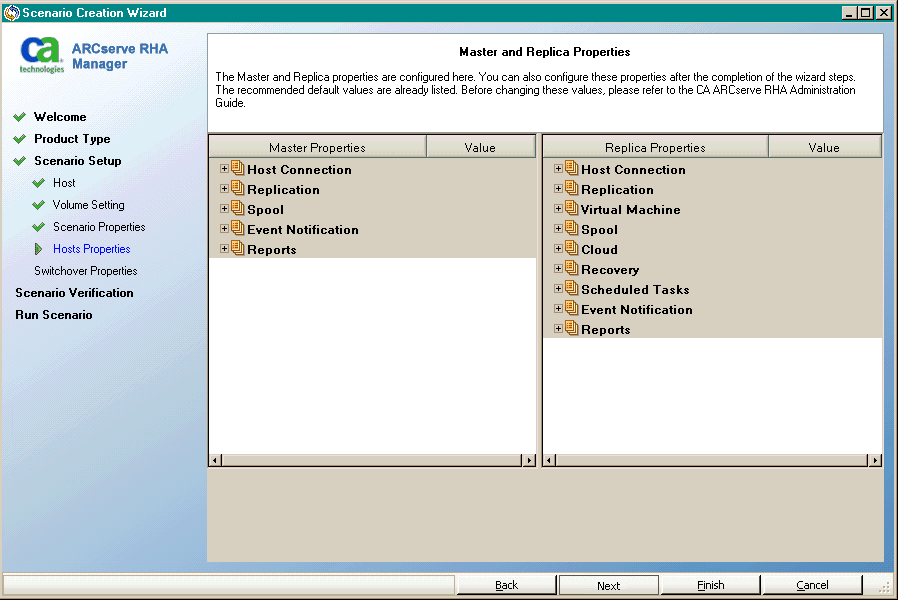
Note: All Cloud Replica properties are read-only except for the Cleanup Cloud Resources When Remove Scenario property, disabled by default.
To modify the network mapping, expand the Physical Network Mappings option under Virtual machine.
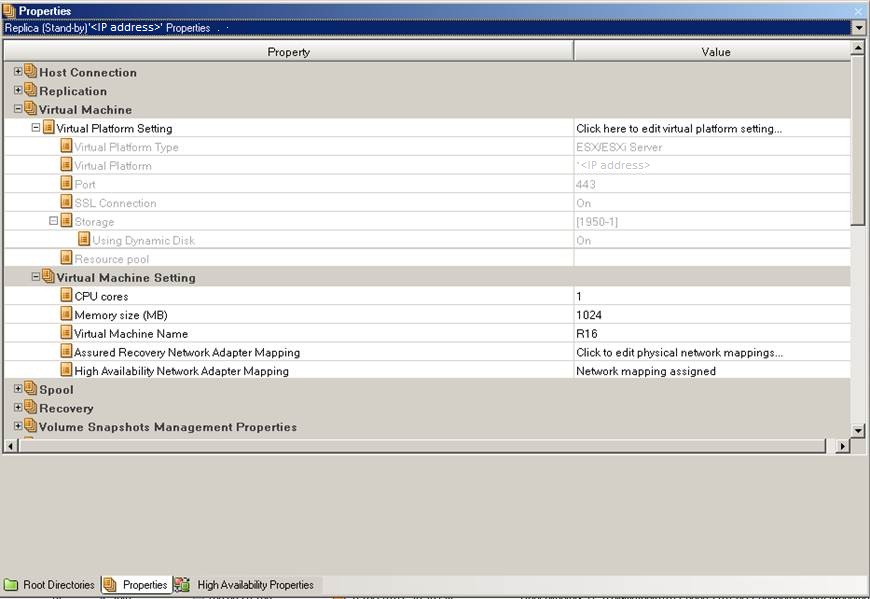
Click “Assured Recovery Network Adapter Mapping” or “High Availability Network Adapter Mapping”.
The Network Adapter Mapping dialog opens.
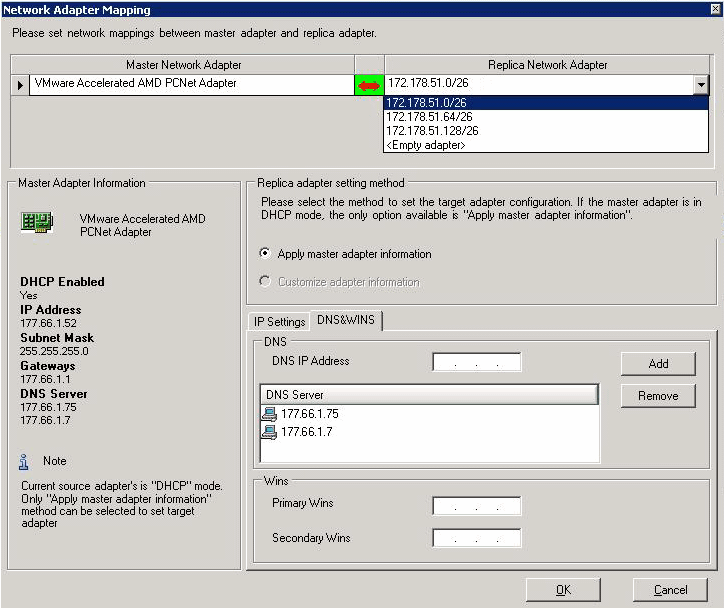
Set network mapping between the master adapter and the replica adapter and click OK.
The Master and Replica Properties opens.
Click Next.
The Switchover Properties screen opens.
Note: When you set the Redirect DNS option to Off, you can also specify a value for the Virtual Machine IPs on Replica server in DNS option. If the Redirect DNS property value is On, then the Virtual Machine IPs on Replica server in DNS option will not display in the list.
The Switchover and Reverse Replication Initiation screen opens.
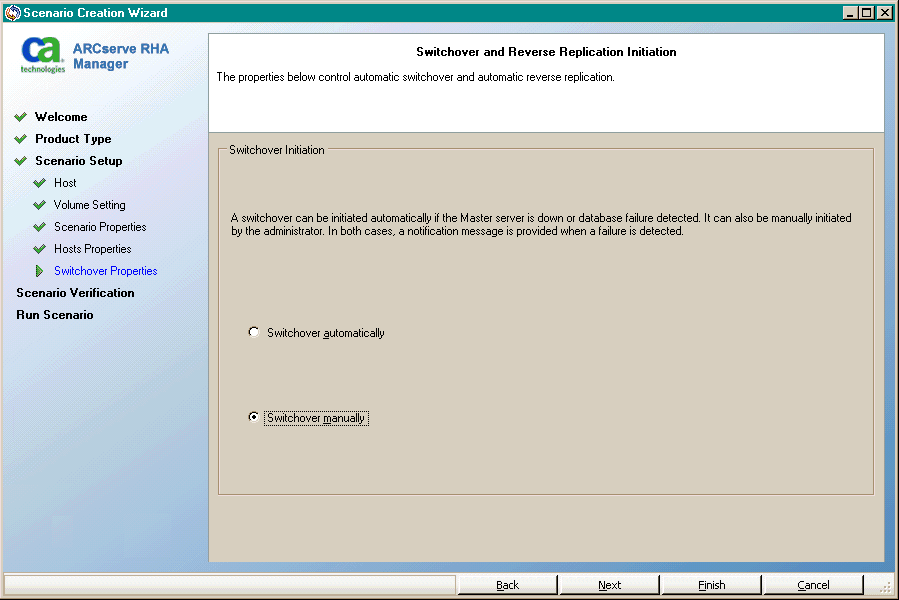
Wait for Scenario Verification to complete.
The Scenario Run screen opens.
|
Copyright © 2014 Arcserve.
All rights reserved.
|
|