

|
|
|
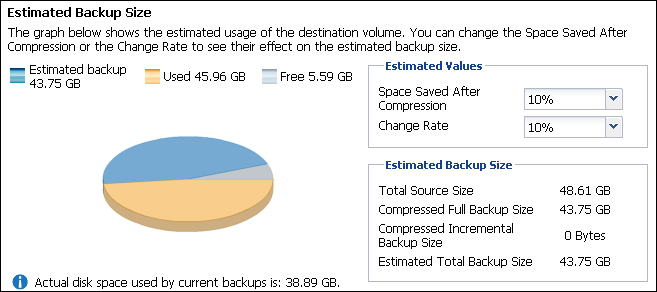
CA ARCserve D2D On Demand provides you with this tool to calculate the estimated amount of available free space that you will need for backups. The calculations are based on your estimate of future data change and on the space occupied from previous backups.
To use this estimating tool
The actual size of the selected backup source is displayed in the Total Source Size field.
This estimate should be based upon past performance of how much your total backup size has changed for each subsequent incremental backup.
This estimate should be based upon past performance of your backups with different Compression settings applied.
As you change this value, you will see the corresponding size impact for your backup sizes.
Note: If necessary, you can perform some Full Backups, each with a different Compression setting (No Compression, Standard Compression, and Maximum Compression) to establish past performance values and help you to better calculate the percent of space saving that each setting produces for your backup.
If your destination does not have sufficient free space, you may consider the following corrective actions:
| Copyright © 2012 CA. All rights reserved. | Tell Technical Publications how we can improve this information |