

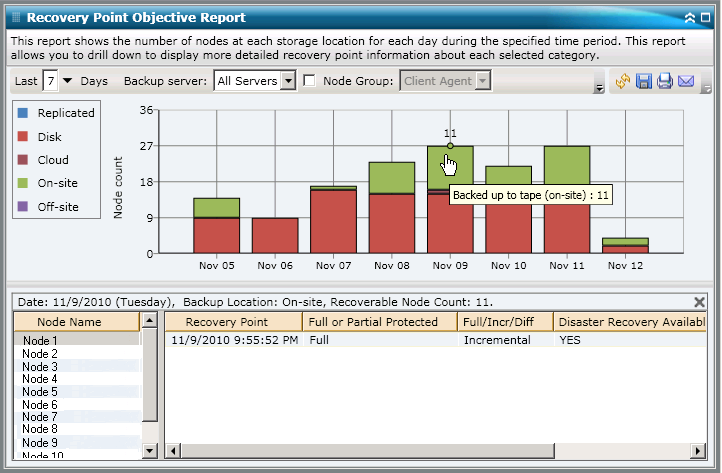
The Recovery Point Objective Report can be further expanded to display more detailed information. You can click on any of the bar chart categories to display a detailed listing of all nodes that were backed up for the corresponding recovery location on that selected day. This drill-down report includes the Node names, along with the corresponding most recent recovery point (backup time), the number of recovery points, the type of recovery protected (full or partial), the backup method used (full, incremental, or differential), whether or not disaster recovery (DR) is available, and the recoverable entity name (root session path for the recovery points).
Note: You can select the node name and right-click the mouse button to display a pop-up window with all related node information for the selected node. For more information, see Node Information.
|
Copyright © 2014 Arcserve.
All rights reserved.
|
|