

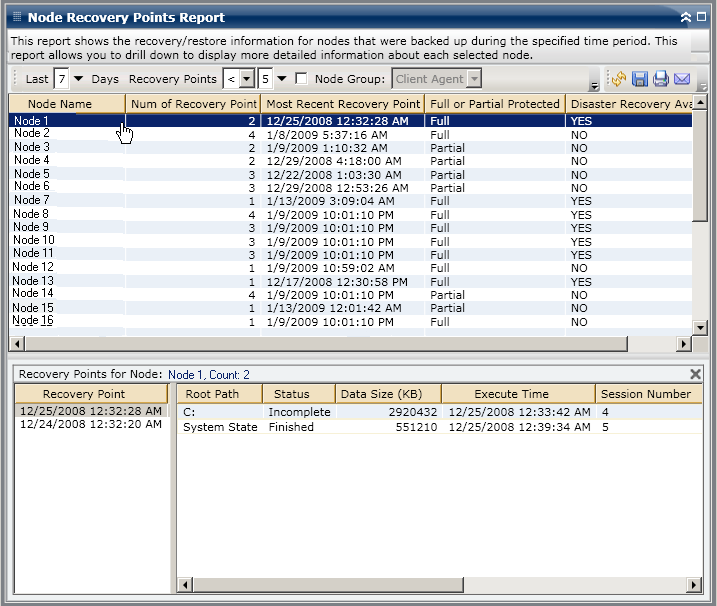
The Node Recovery Point Report can be further expanded to display more detailed information. You can click on any of the listed nodes to display a detailed listing of all available recovery points for the corresponding node during the specified time period. You can then click on any of the listed recovery points to display an additional detailed listing of all sessions corresponding to that recovery point.
Note: A recovery point is determined based on the last successful execution start time of the backup job for a node.
Note: For a specific node, if the Node Recovery Points Report indicates that disaster recovery is not available, but the Node Disaster Recovery Status Report indicates that disaster recovery is available for this same node, this is because of a difference in how the information is reported. The Node Recovery Points Report displays the DR information corresponding to the most recent recovery point, while the Node Disaster Recovery Status Report displays the information if there is at least one DR session available within the specified time period.
|
Copyright © 2014 Arcserve.
All rights reserved.
|
|