

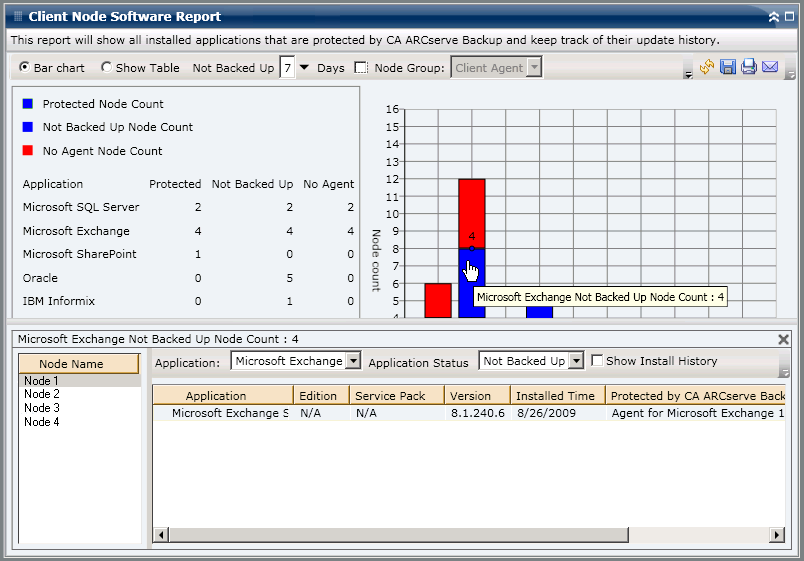
The Client Node Software Report can be further expanded from the bar chart view to display more detailed information as the Show Table; however, the data displayed in the drill down report is filtered by the selected category. You can click on a particular node to display all applications for that node. In addition, you can use the Application filter to display all nodes containing a specific type of application.
|
Copyright © 2014 Arcserve.
All rights reserved.
|
|