

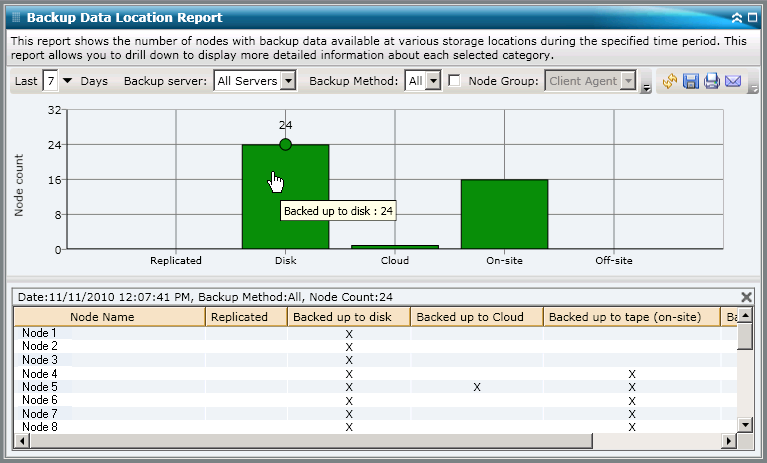
The Backup Data Location Report can be further expanded to display more detailed information. You can click on any of the status categories to drill down from a display of summary information to a more focused and detailed report about that particular category.
For example, if you click on the Tape Onsite category, the report summary changes to display a filtered list of all nodes that were backed up to an onsite tape during the last specified time period. The report also displays any other location categories for the same backed up nodes to help you determine the best location to recover the data from if necessary.
Note: You can select the node name and right-click the mouse button to display a pop-up window with all related node information for the selected node. For more information, see Node Information.
|
Copyright © 2014 Arcserve.
All rights reserved.
|
|