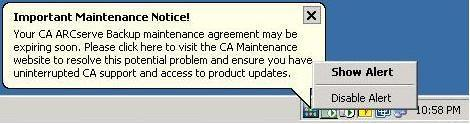
The maintenance notification message is disabled.
CA ARCserve Backup lets you disable the maintenance notification message that appears near the Window systems tray.
To disable the maintenance notification message
The maintenance notification message is disabled.
| Copyright © 2010 CA. All rights reserved. | Email CA about this topic |