

Installing the BFC › Network Hardware Example
Network Hardware Example
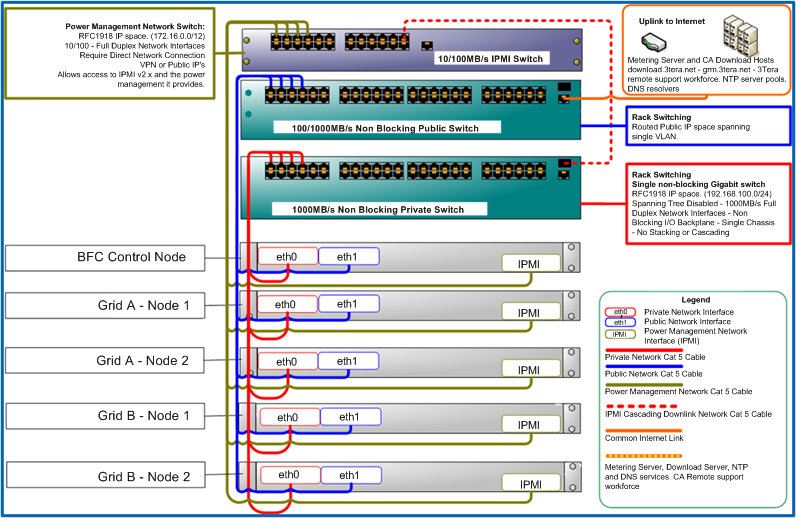
The following is an example of the network hardware connected.
Setup Grid Server Hardware
Verify the following in the BIOS for each server that will be used within the backbone (you do not need to do this for the BFC node):
- ac power recovery ON.
- backbone NIC set to PXE boot.
- Set the backbone NIC from the previous step to be first in the boot order.
- Make sure there is a hard disk in the boot order.
- In the IPMI interface (usually post the BIOS but prior to boot) verify ipmi over lan = ON.
- If you are using servers with processors that support HyperThread capability (some manufacturers may refer to this as a Logical Processor), you must disable the HyperThread feature in your servers’ BIOS parameters. This will help ensure that both Hypervisors (Xen and VMware ESX) display the correct number of cores.
Copyright © 2011 CA.
All rights reserved.
|
|