

The model object cross reference facilities provide the following two interactive panels:
Both interactive panels provide a variety of controls and filters including recursion, scope, selection, and positioning to help you analyze your model and determine the impact of proposed changes.
Following is the header for the Display Model Usages panel showing the fields for controlling the expansion of usages. One way to display this is to use option 91 from the Edit Model Object List panel. The header for the Display Model References panel is similar.
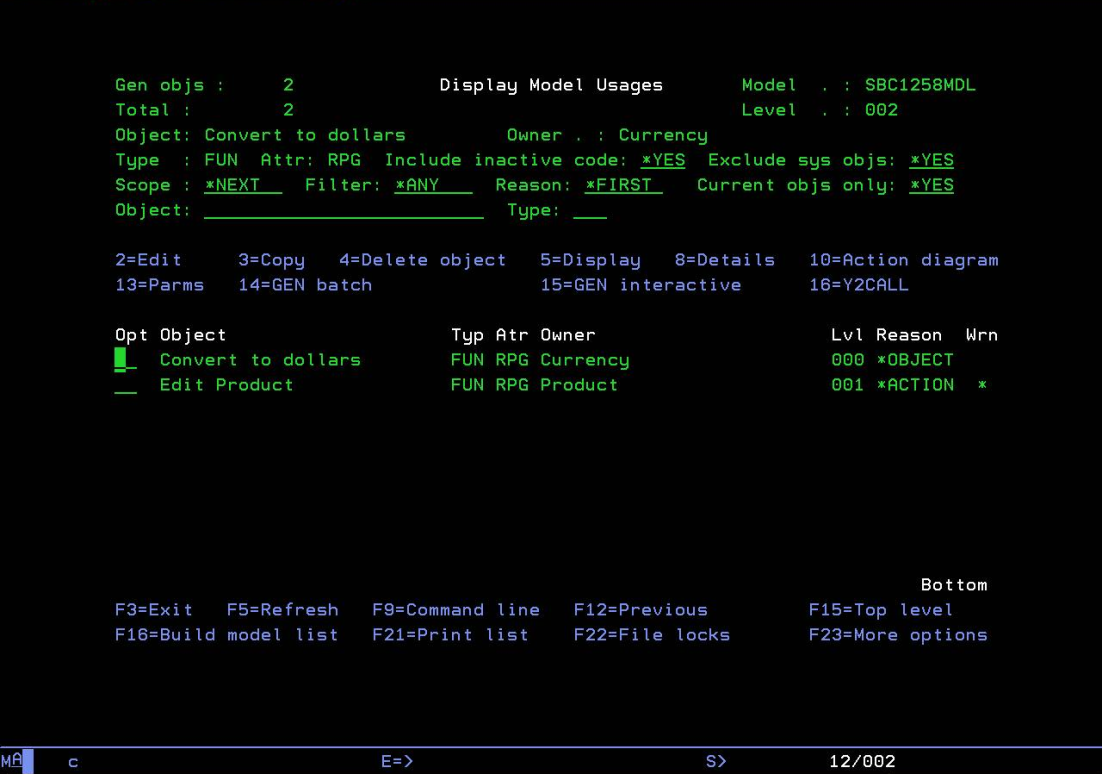
Note: Some of the following screenshots in this section do not show the Include Inactive Code field.
The following discusses each of the controls and filters provided on this panel. Note that the Object and Type fields are positioners; all other fields are record selectors. Also, all values, including your changes, are carried forward each time you invoke this panel.
|
Copyright © 2014 CA.
All rights reserved.
|
|