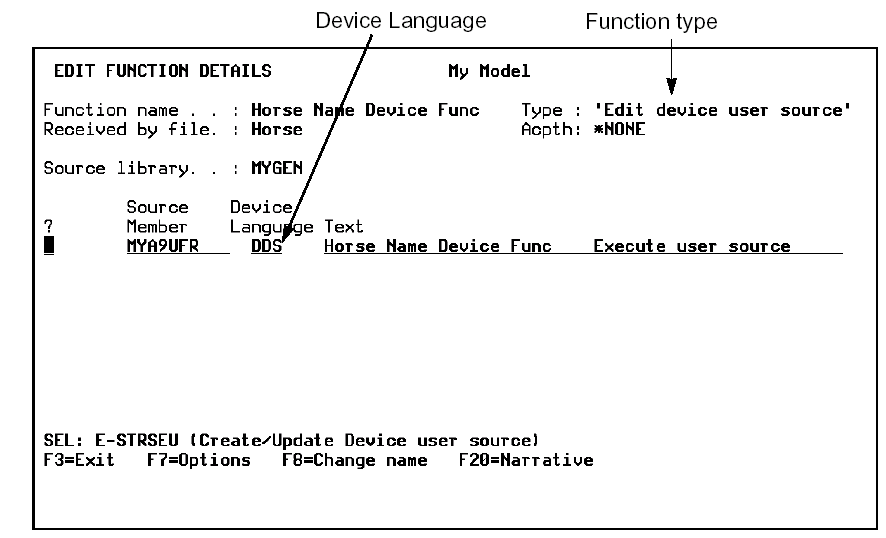
From the Edit Function panel, define an EXCUSRSRC function with access path *NONE.
Zoom into the function. From the Edit Function Details panel, reset the device language, for example, to DDS.
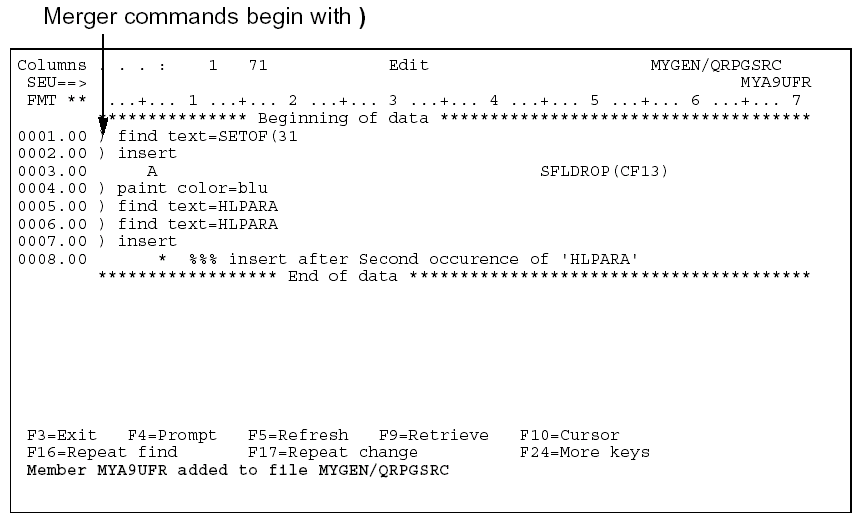
Type E against the file to enter DDS source or merger commands.
The commands beginning with ) are special merger commands that are executed during source generation. Because merger commands do not follow DDS (or other device language) syntax, an error message displays and you need to set the ‘Return to editing’ option to N on the Exit Function Definition panel.
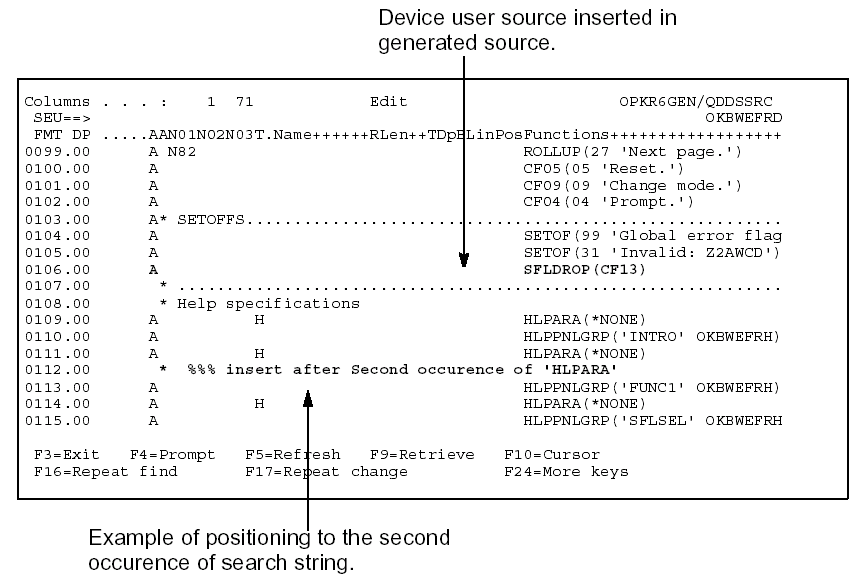
Save the source member. Device user source is merged when the function it is attached to is generated. Following is an example of device user source merged with generated source for the subfile control format of an Edit File function.