

The *SET CURSOR built-in function allows you to explicitly position the cursor on any field on the device design by specifying the field name and the context to which it belongs. In addition, the *SET CURSOR built-in function allows you to control cursor positioning based on the occurrence of errors.
There are two input parameters for this function type:
For more information on device designs, see the chapter "Device Designs."
Note: You cannot use *SET CURSOR to override cursor positioning due to errors generated by display files such as values list errors on status fields. These errors are implemented below the level of the application program in the display device or file.
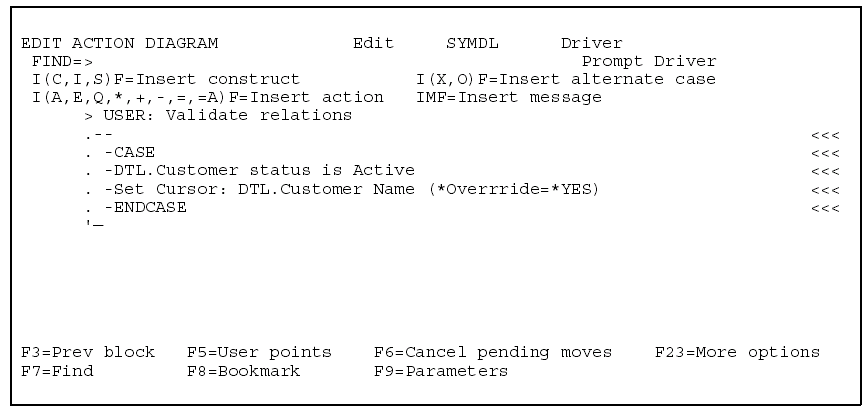
The following is an example of the Set Cursor function.
In this example, if the Customer Status field is Active, move the cursor to the Customer Name field.
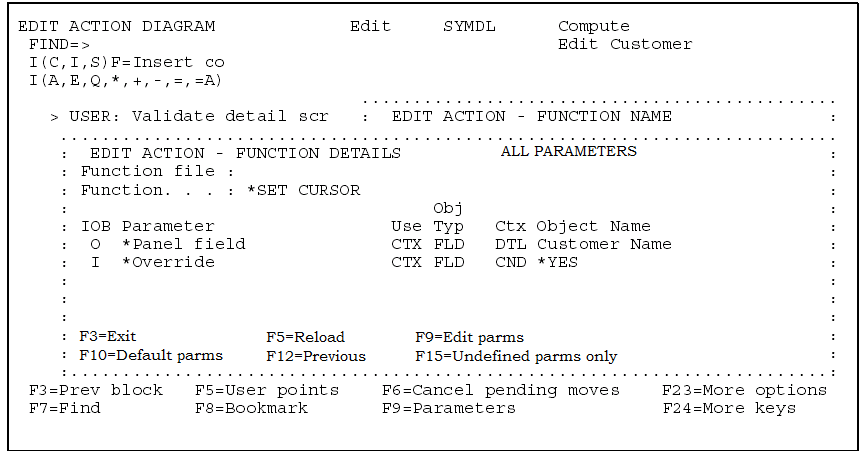
The following diagram shows the parameters for the example.
|
Copyright © 2014 CA.
All rights reserved.
|
|