

Display the user points of the action diagram by pressing F5. To specify the parameters of the Print Race Entries function, locate the point in the action diagram at which the function is called. Since the function was attached to the Detail format, you will zoom into the Print details user point.
Type Z against the Print details user point.
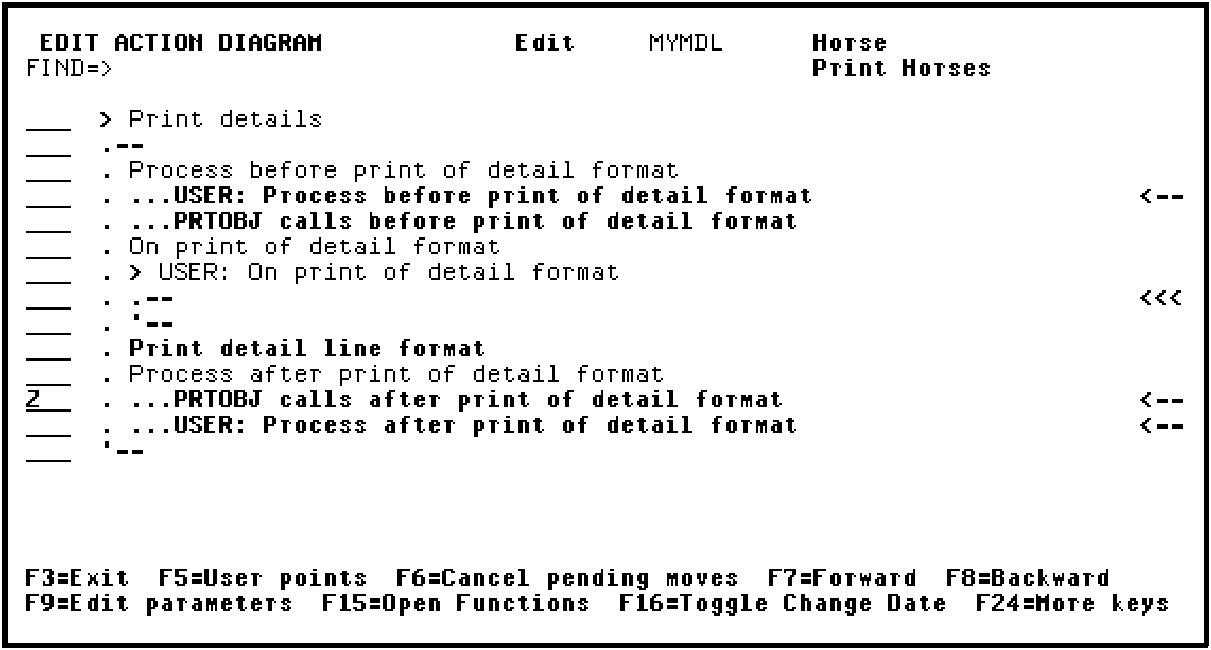
Press Enter.
|
Copyright © 2014 CA Technologies.
All rights reserved.
|
|