

The Edit File Details panel shows the existing access paths for the RACE ENTRY file. You will create a new access path for the Print Race Entries function.
To produce the desired report, the records in the RACE ENTRY file need to be processed in order by Horse name. To do this, you need to create an access path keyed on the Horse name field; however, Horse name is a virtual field on the RACE ENTRY file. In order to use a virtual field as a key, you need to create a query (QRY) access path. In addition, since virtual entries are not automatically included on an access path, you need to add them explicitly.
Specify a QRY access path named Entries by Horse name and type V against it.
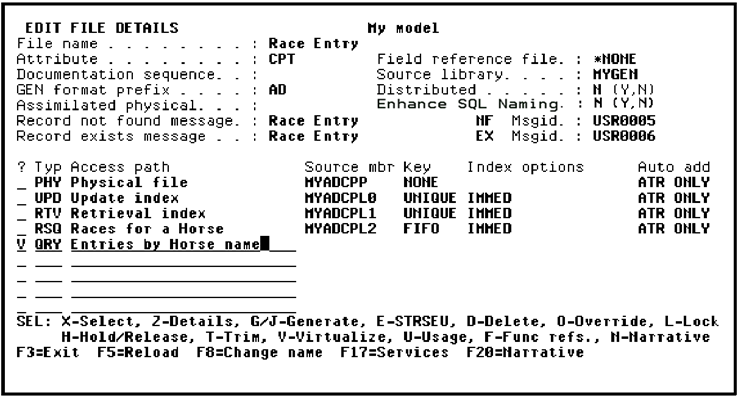
Press Enter to view the virtual entries that are available for inclusion on the access path; namely, Horse name and Jockey name.
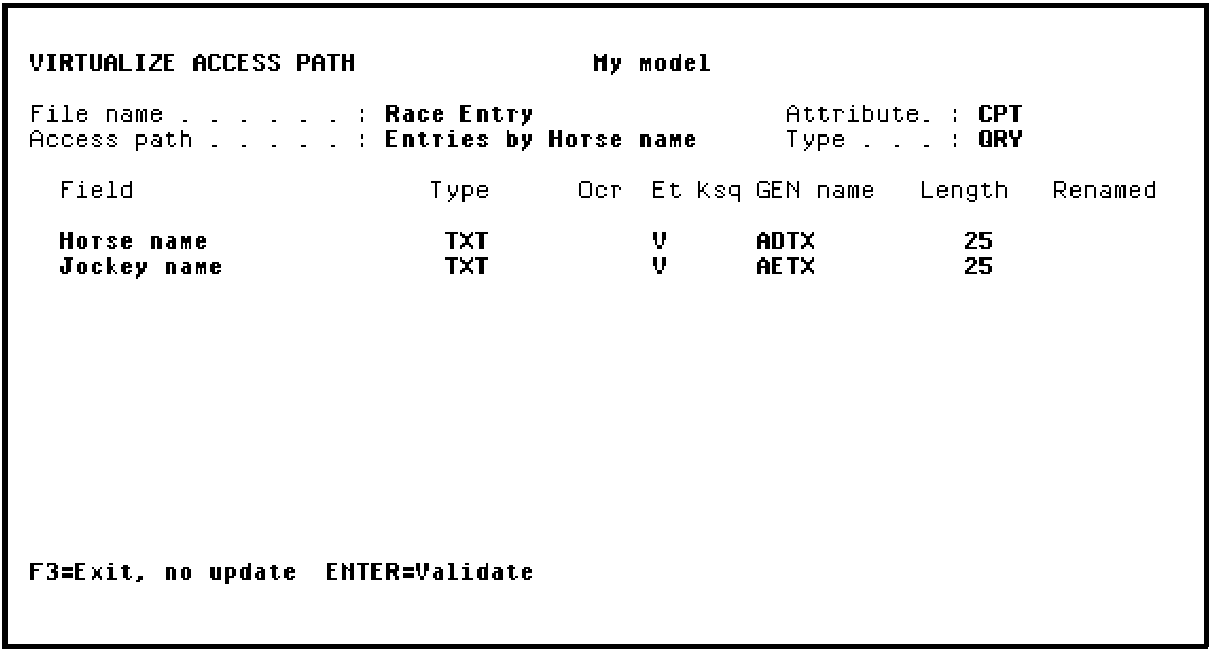
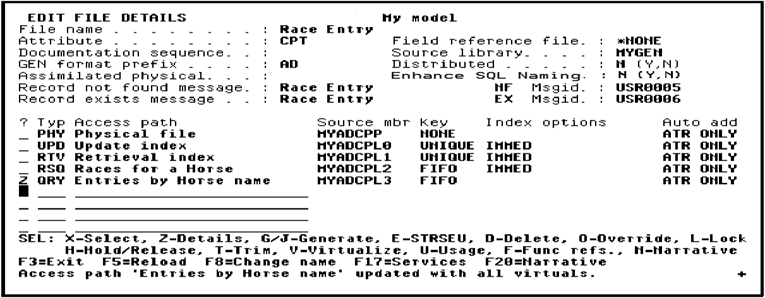
Press Enter twice to validate and confirm the inclusion of the two virtual entries and return to the Edit File Details panel. Note the message at the bottom of the panel indicating that the access path has been updated with all virtuals.
Type Z against the Entries by Horse name access path to begin the process of specifying Horse name as the key.
|
Copyright © 2014 CA Technologies.
All rights reserved.
|
|