

Next you are going to specify that Entry Status is an input parameter to the Finished race function field. You will use the same Edit Function Parameters panel you used to specify function parameters earlier in this tutorial.
Type the details for the Entry Status parameter as shown. The usage of this parameter defaults to input. Check the parameter usage by also typing Z against the field.
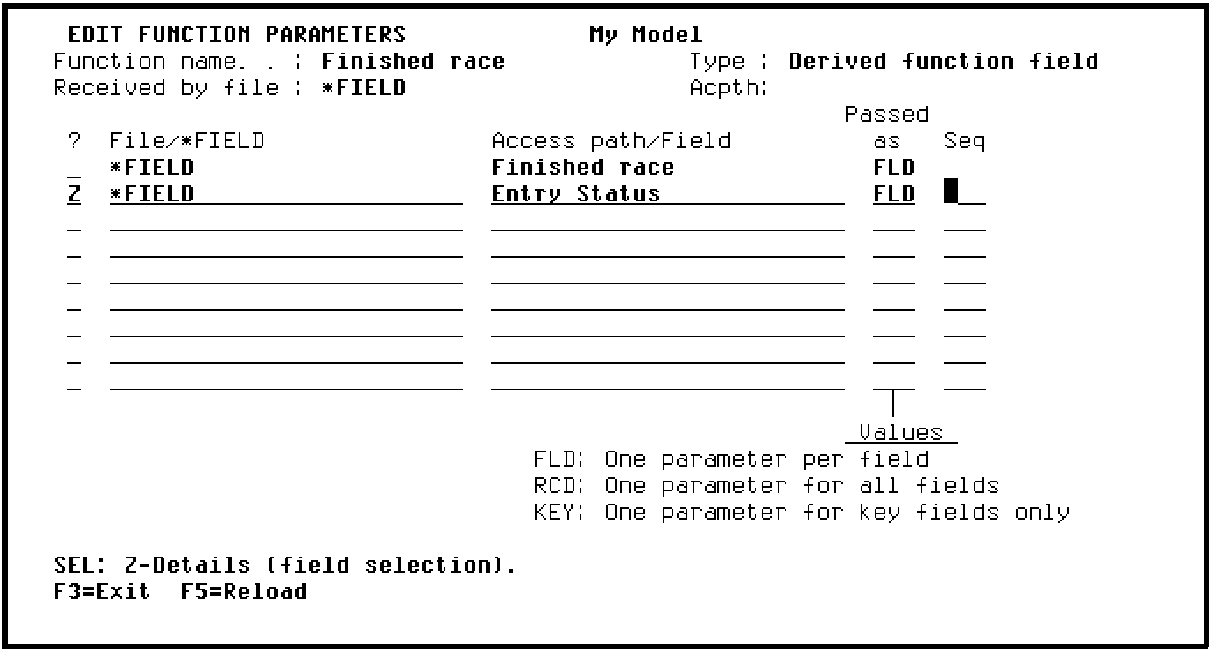
Press Enter. The Edit Function Parameter Details panel displays showing the Usage for Entry Status as I (input).
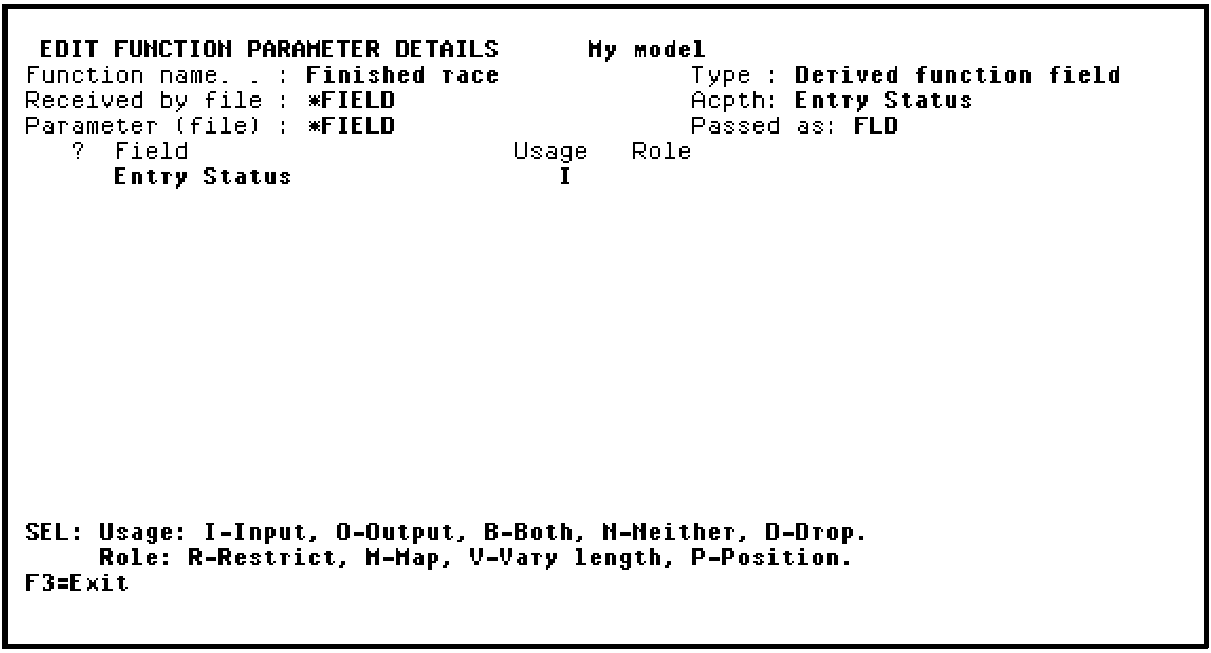
Press F3 to return to the Edit Function Parameters panel.
The derived (DRV) function field itself, Finished race, is automatically defined as an output parameter. Check this by displaying the parameter details. Type Z against the Finished race field to display the Edit Function Parameter Details panel. Note that the Usage for this parameter is O (output).
Press F3 twice to exit and return to the Display Fields panel.
|
Copyright © 2014 CA Technologies.
All rights reserved.
|
|