

When the end user enters races and race entries, it would be helpful to have the following virtual fields display on the interactive panel: Course name, Horse name, and Jockey name. As mentioned previously, each access path initially contains all of the relations for the file on which it is based, but none of the virtual entries. As a result, if you want virtual fields included on the two formats for the Race and Entries access path, you need to add them explicitly.
In this step, you will add these virtual fields to the Race and Race Entry access path formats. Type V in the Subfile selector for both the Race format and the Race Entry format.
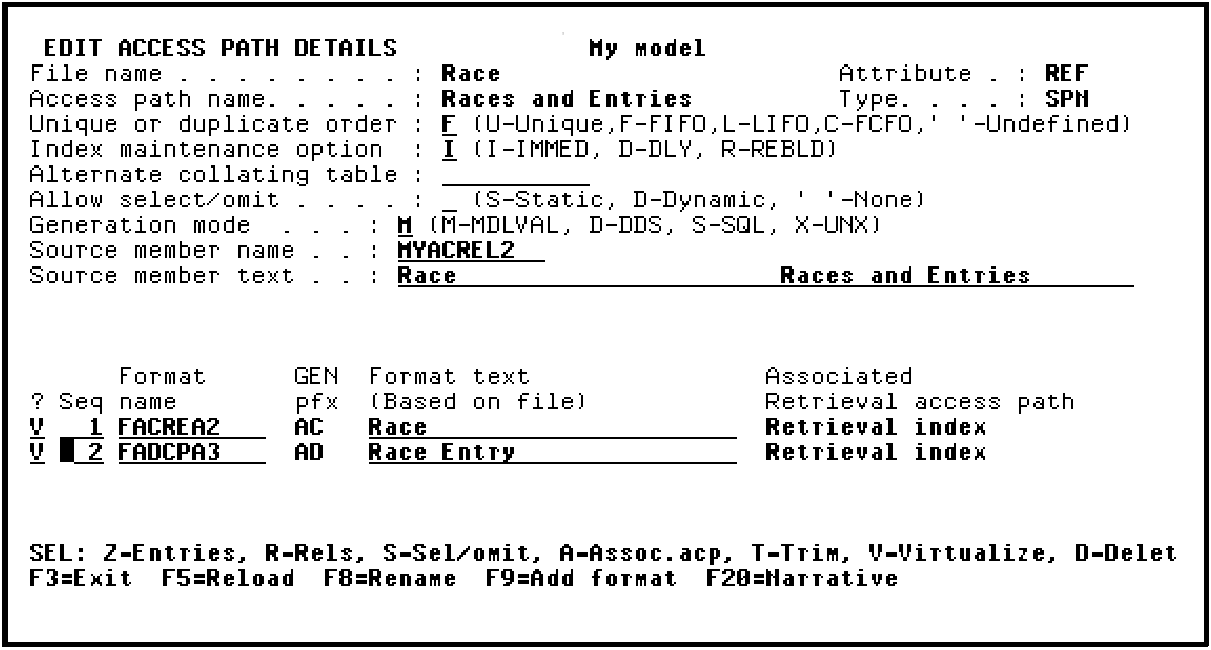
Press Enter.
The Virtualize Access Path panel displays showing the virtual field, Course name that can be added to the Race access path format.
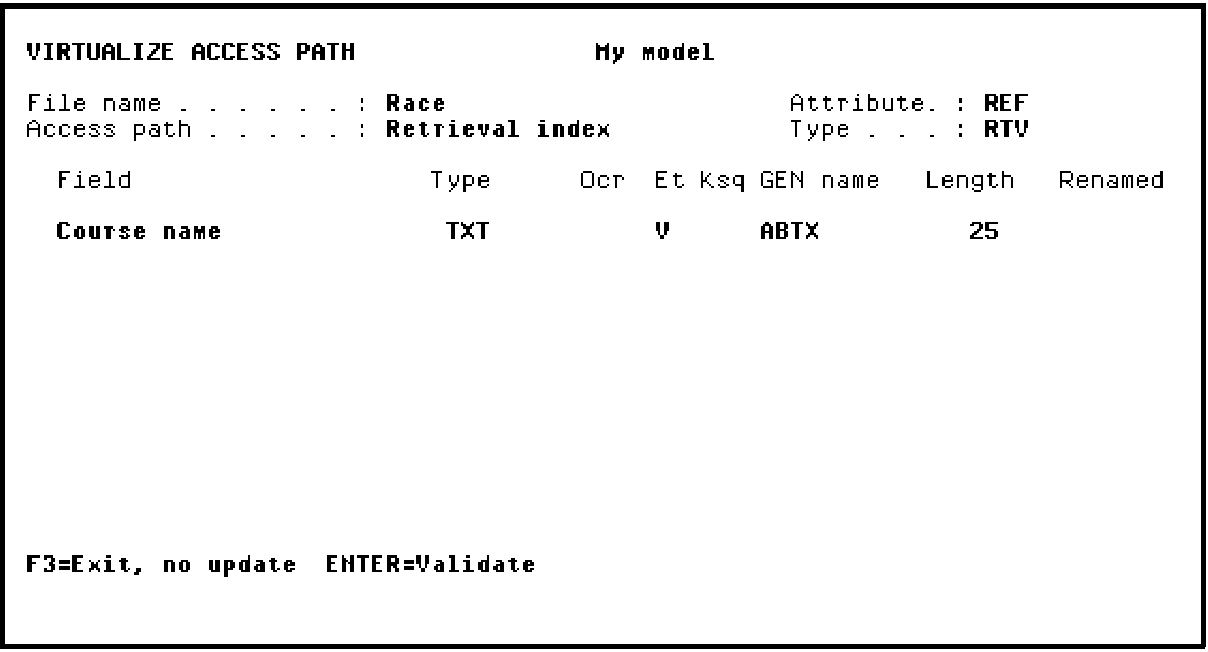
Press Enter to add the Course name virtual field to the Race access path format.
A Confirm prompt displays in the lower right-hand corner of the panel.
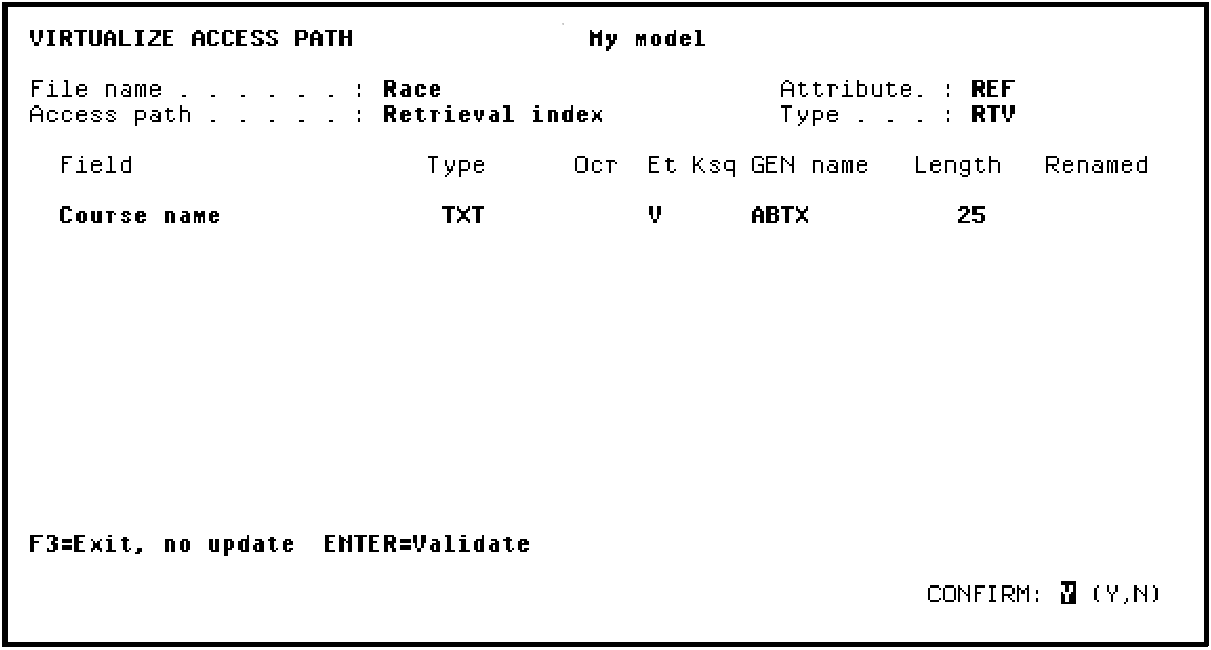
Press Enter to confirm the addition of the Course name virtual field.
CA 2E again displays the Virtualize Access Path panel showing the virtual fields that can be added to the Race Entry access path format. In this case, the virtual fields are Horse name and Jockey name.
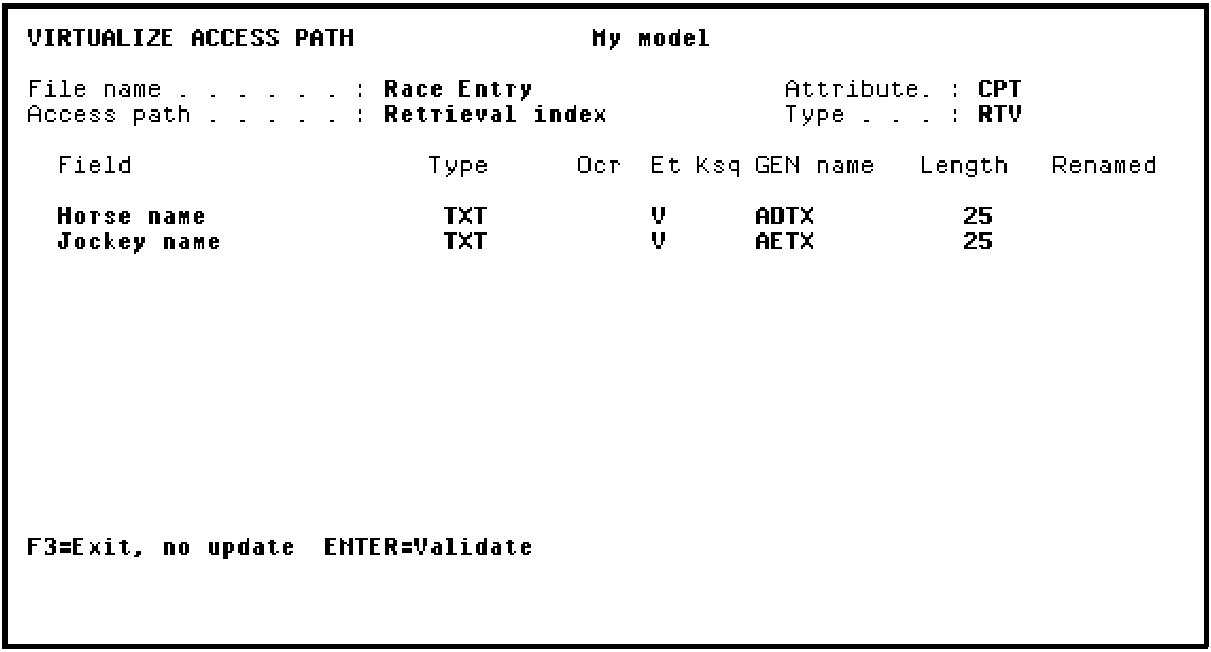
Press Enter to add these virtual fields to the Race Entry access path format. A Confirm prompt displays in the lower right-hand corner of the panel.
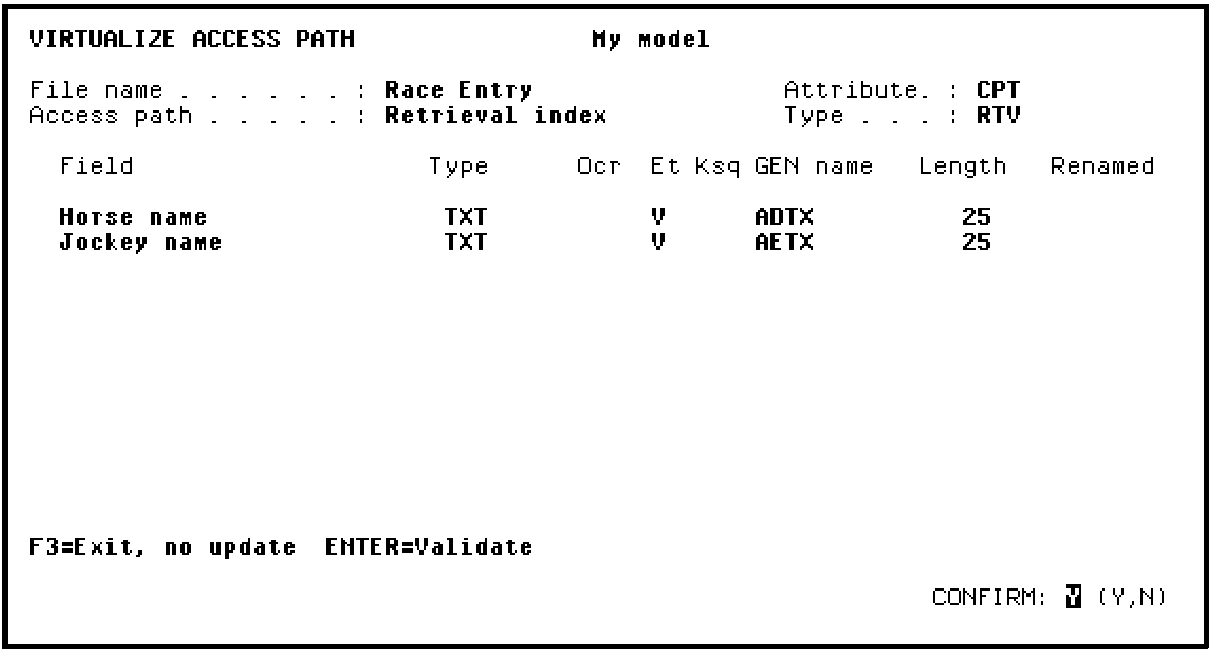
Press Enter to confirm the addition of the Horse name and Jockey name virtual fields and return to the Edit Access Path Details panel.
|
Copyright © 2014 CA Technologies.
All rights reserved.
|
|