

In order to further study the impact of your proposed change, convert the usages displayed to a model object list. Be sure to give it a descriptive name; for example, COURSECODE.
Press F16 and type COURSECODE in the Model list name field in the window that displays as shown. Since this is a new list you can accept the default for the Outlist option.
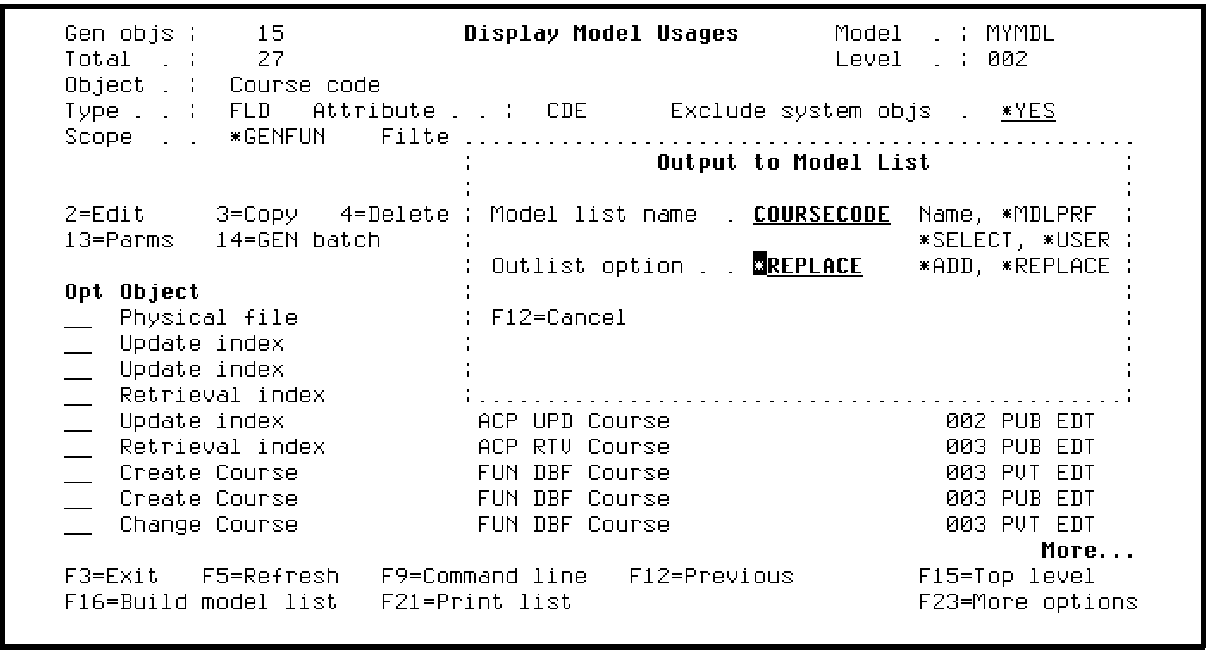
Press Enter. Notice the messages at the bottom of the window as CA 2E creates the list and converts the displayed usages to model list entries.
Press F3 twice to return to the Edit Model Object List panel. Use the F7 key to reposition the session list to the top and display all entries.
|
Copyright © 2014 CA Technologies.
All rights reserved.
|
|