

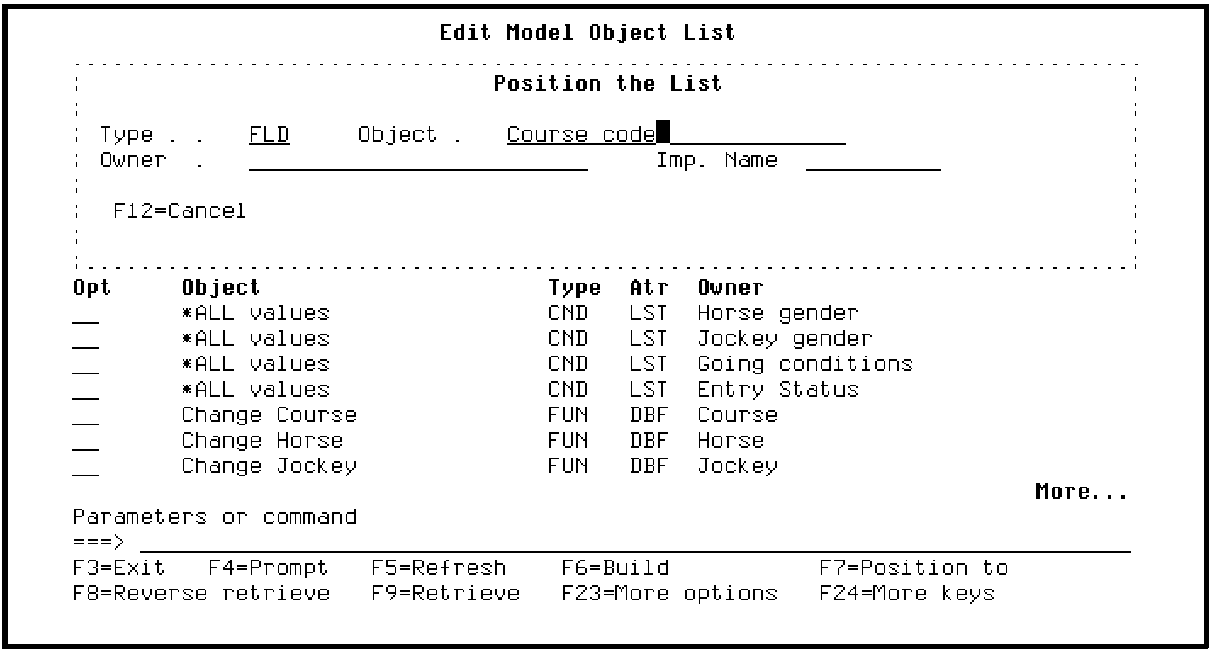
From the Edit Model Object List panel, press F7 to display the Position the List window. Type FLD for the Type field and type Course code for the Object field.
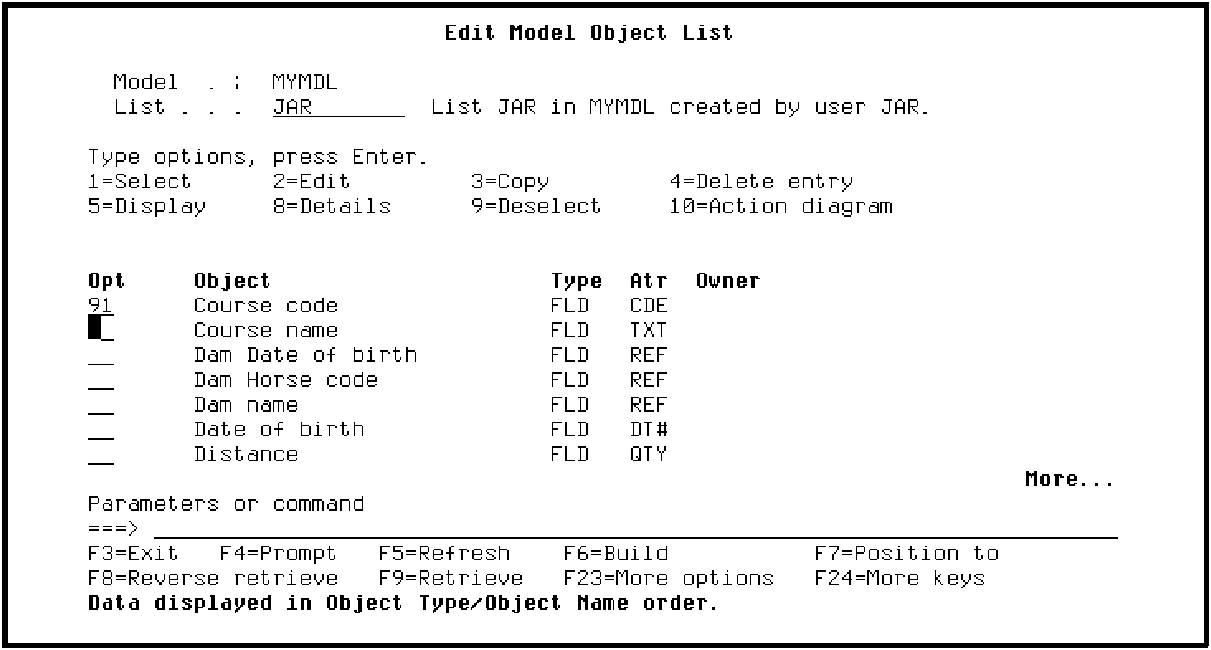
Press Enter. Type 91 in the Subfile selector for Course code as shown to display the Display Model Usages panel.
Press Enter.
|
Copyright © 2014 CA Technologies.
All rights reserved.
|
|