

Note that an 8 appears to the left of both the Edit Horse and Edit Horse - Version 1 list entries. This indicates that the list entry information does not match that of the corresponding model object. In this case, the object names and implementation names are mismatched since they were exchanged during the process of making Edit Horse - Version 1 current.
Note: This difference is allowed to occur so you can use your model object list as a historical record.
To view current details for a model object, use Subfile selector option 8. (Note that you can press F23 to see other options.) For example, type 8 against the Edit Horse list entry.
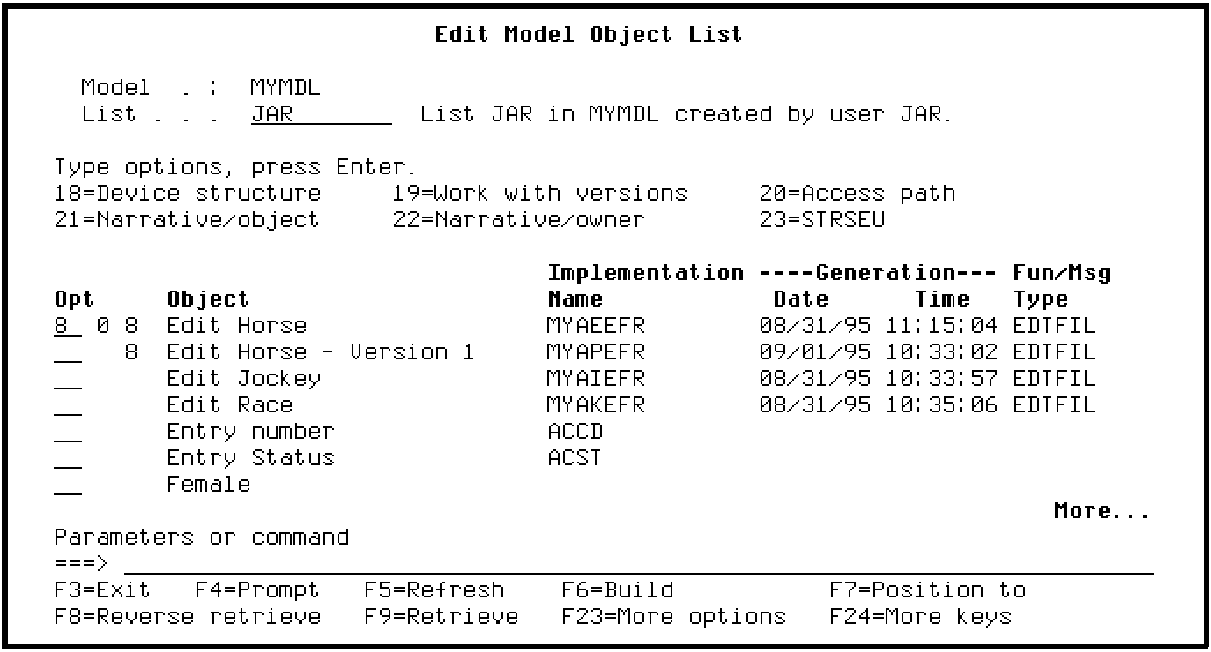
Press Enter.
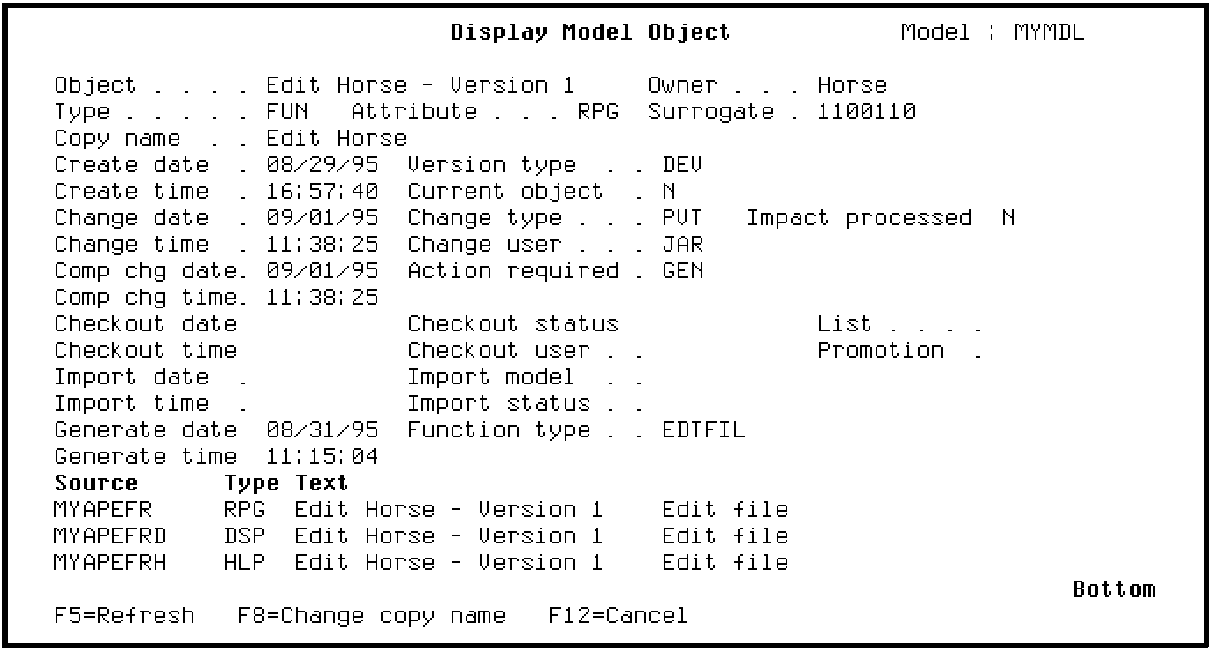
Note that the Object Name, Edit Horse - Version 1, and the implementation name shown in the Source column, MYAPEFR, do not match the corresponding information shown on the Edit Model Object List panel for the Edit Horse list entry.
Press F12 to return to the Edit Model Object List panel.
|
Copyright © 2014 CA Technologies.
All rights reserved.
|
|