

Once you have tested Edit Horse - Version 1 and are satisfied that both the new and old functionality work correctly, you can replace the original Edit Horse function in the model with the new version by making the version current.
First display the Work with Version panel by typing 19 in the Subfile selector for either version of the Edit Horse function.
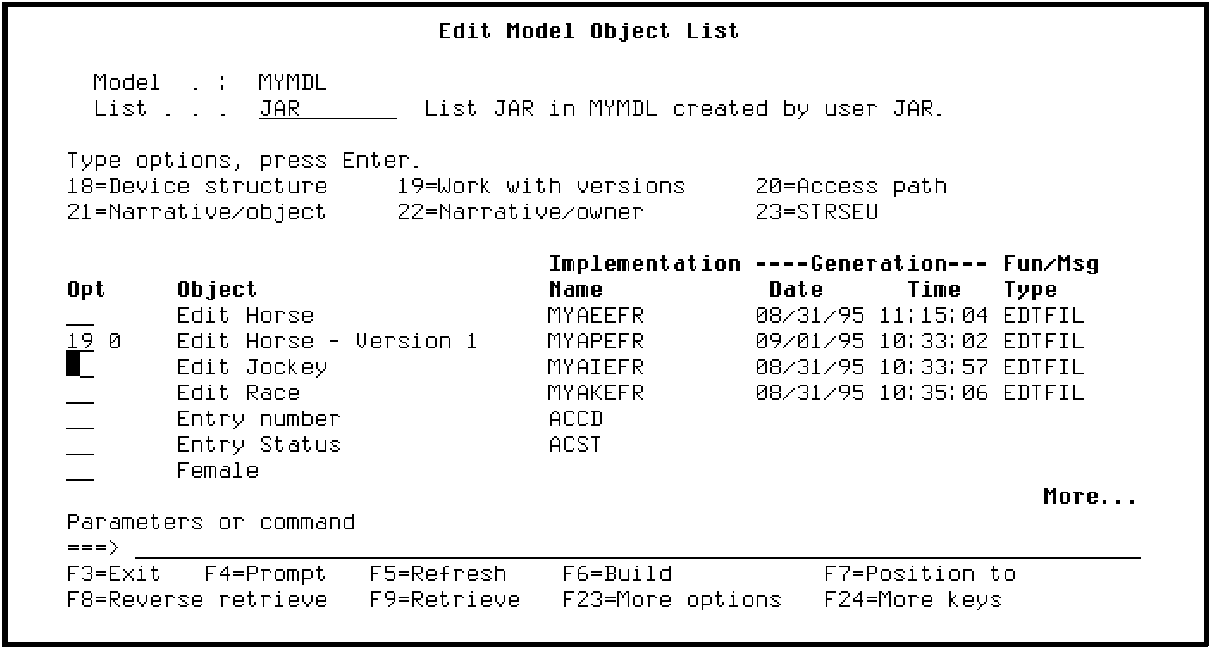
Press Enter.
On the Work with Version panel, press F23 to view additional options. The appropriate option is 26, Make current. Type 26 in the Subfile selector for Edit Horse - Version 1.
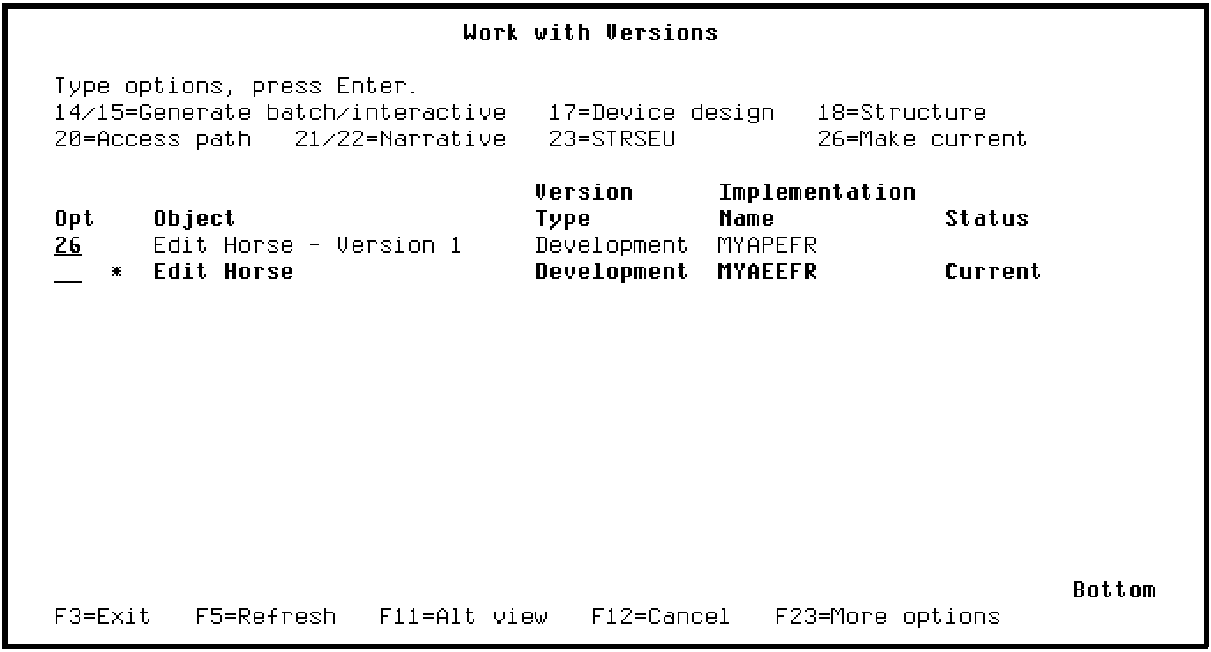
Press Enter.
|
Copyright © 2014 CA Technologies.
All rights reserved.
|
|