

Press F4 to prompt the command. Enter parameters to identify the functions to be compared; namely, enter the Object owner, name, and type of both functions. In this case, type HORSE, Edit Horse, *FUN, HORSE, Edit Horse - Version 1, and *FUN as shown. Accept the defaults for the other parameters.
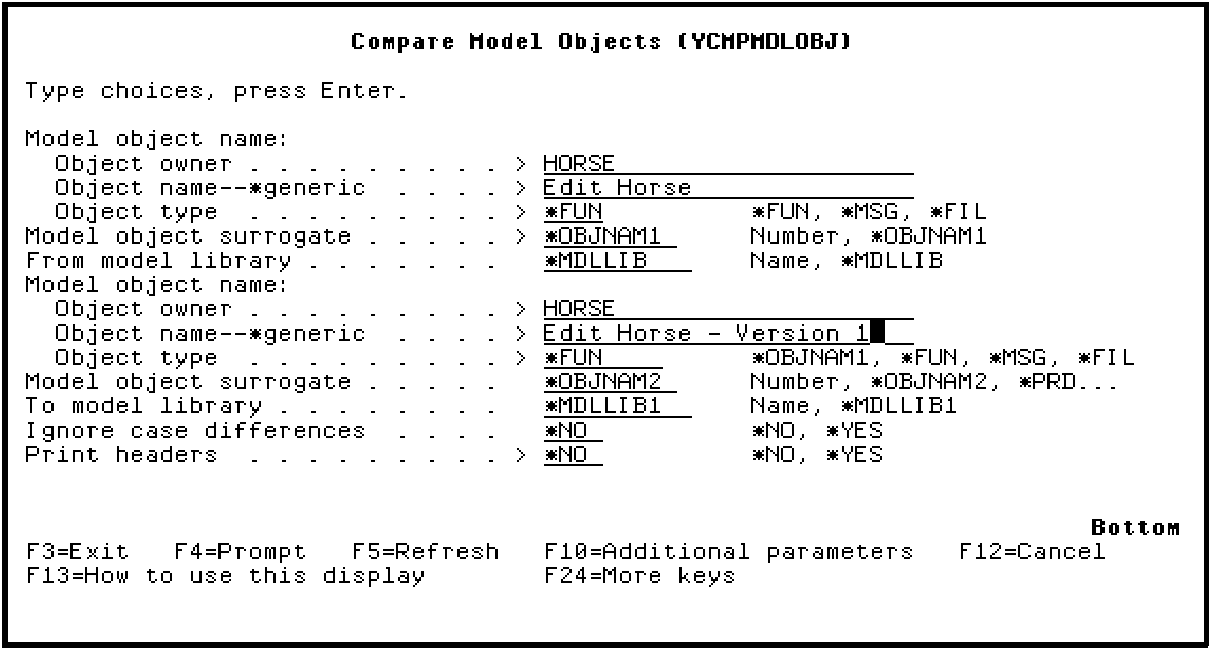
Press Enter.
When the command completes, it returns automatically to the Edit Model Object List panel. If differences were found a message displays at the bottom of the panel.
|
Copyright © 2014 CA Technologies.
All rights reserved.
|
|