

On the Command line, type the following to test Edit Horse - Version 1. Be sure to substitute the correct implementation name.
CALL MYAPEFR ‘ ‘
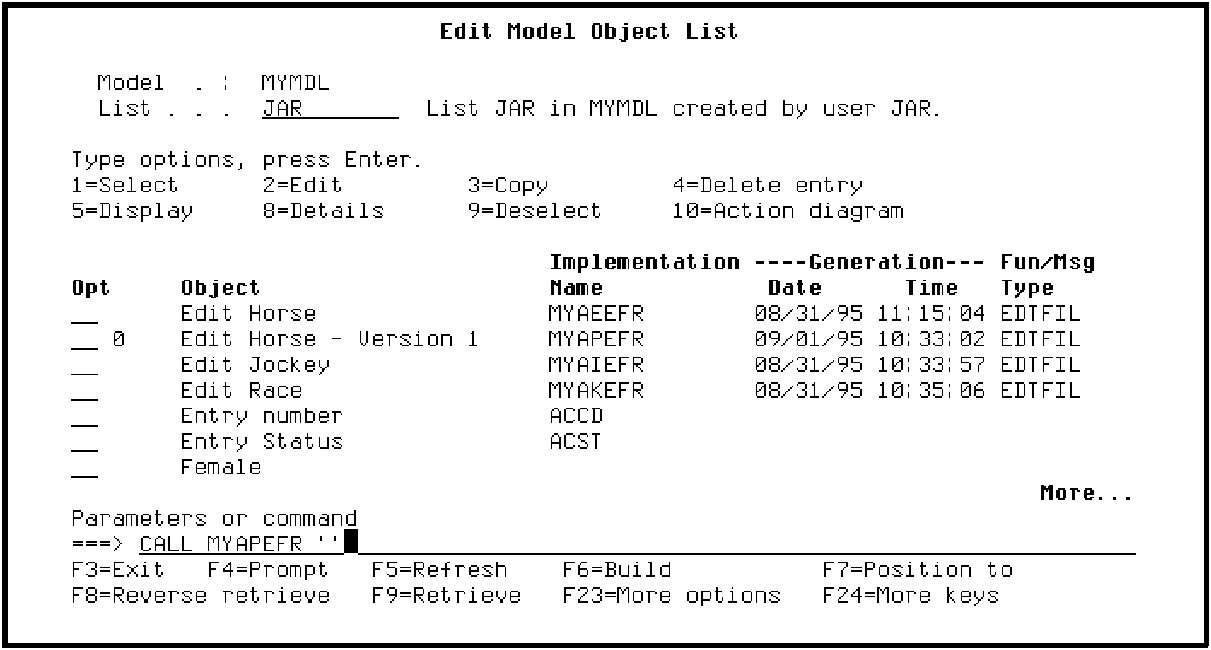
Press Enter.
The interactive panel for Edit Horse - Version 1 should display showing the data you entered earlier for the Edit Horse function.
Following are the steps needed to test your change.
Note: Because you will not enter data for the RACE and RACE ENTRY files until the Advanced Functions chapter, Display Racing Results will have no data to display; however, you should see the new information message on return to Edit Horse - Version 1.
Press F3 to return to the Edit Model Object List panel.
|
Copyright © 2014 CA Technologies.
All rights reserved.
|
|