

You also have access to a set of job list commands from the Edit Model Object List panel. This includes the Submit Model Create Requests (YSBMMDLCRT) command, which you previously accessed from the Display Services Menu. Press F24 twice to view additional command keys. The appropriate command key is F19.
Press F19 to display the Job List Commands Menu. Type 1 on the Selection line to select the YSBMMDLCRT command.
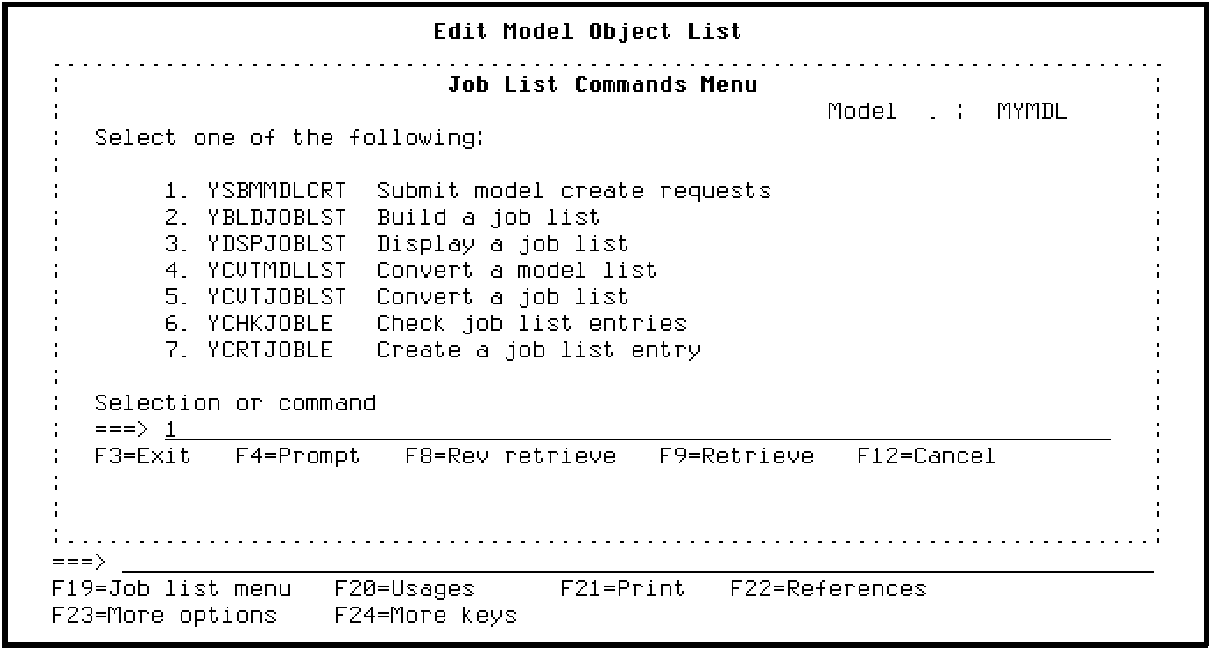
Press Enter.
When the prompt screen for the YSBMMDLCRT command displays, press Enter again to accept the defaults and display the job list.
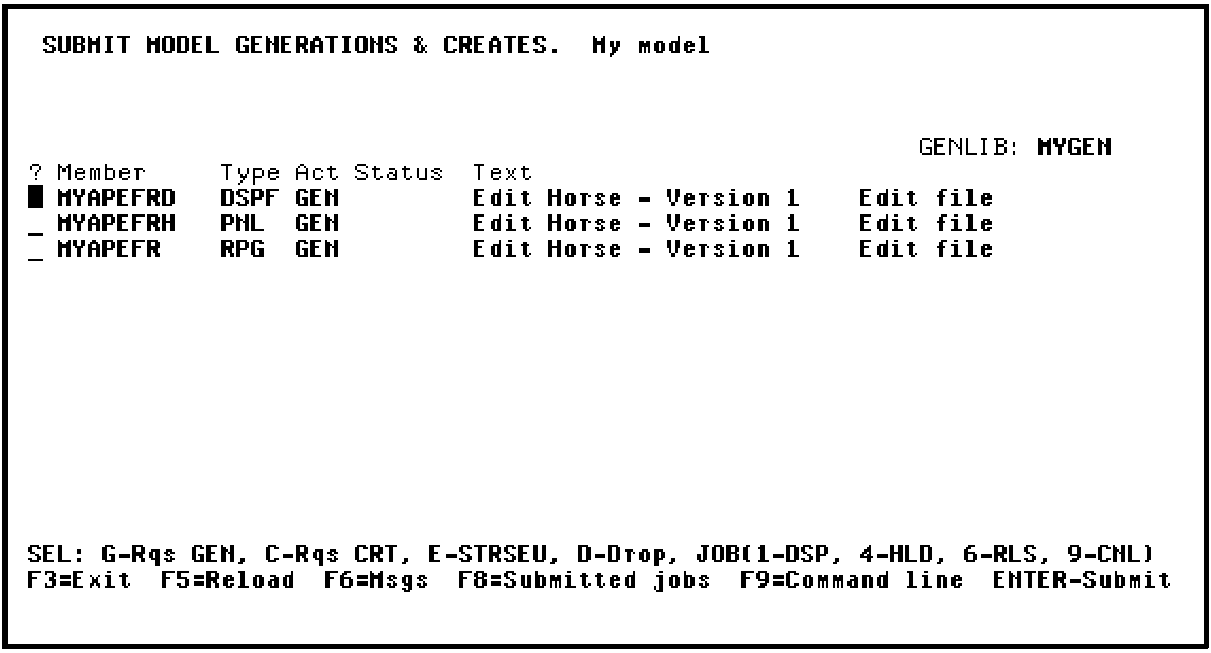
Press Enter twice to submit the request to the job queue. Check the status of the job as described in the Generating, Compiling, and Executing chapter. Once the generation and compilation completes successfully, you can test Edit Horse - Version 1 to see if the new message displays.
Press F3 twice to return to the Edit Model Object List panel.
|
Copyright © 2014 CA Technologies.
All rights reserved.
|
|