

The Work with Model Lists panel lets you manage the model object lists in your model. You can access this panel from the CA 2E Designer (*DSNR) Menu, the Display Services Menu, or by typing the Work with Model Lists (YWRKMDLLST) command on a command line
Type YWRKMDLLST on the command line.
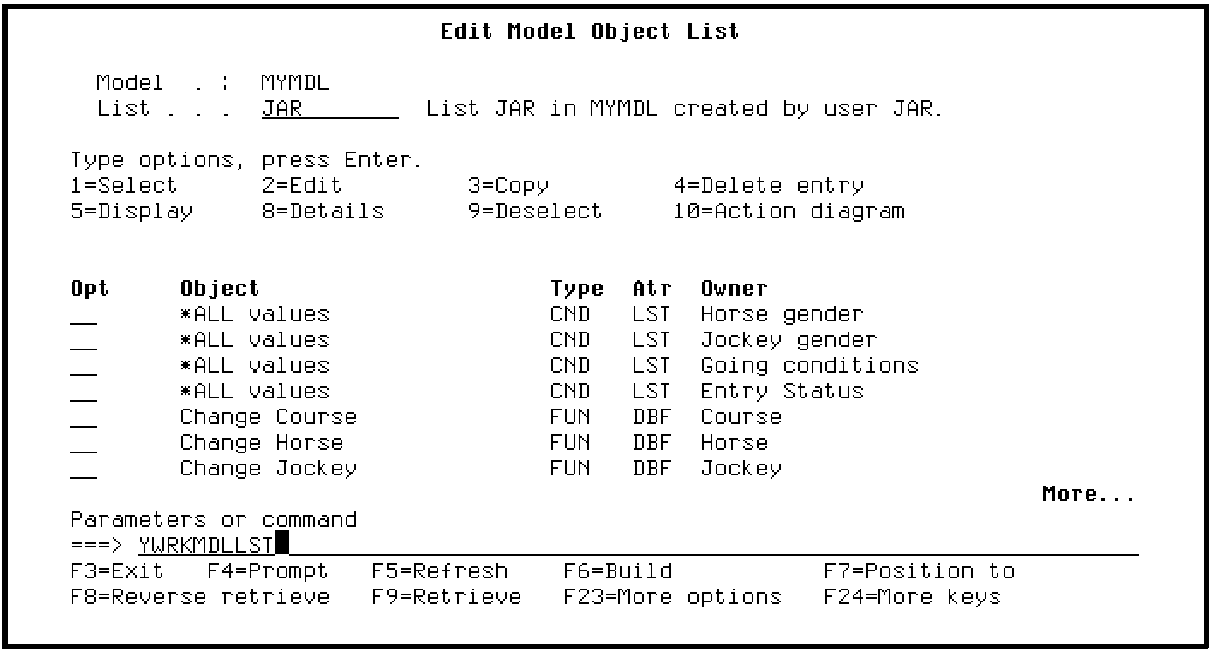
Press Enter. The Work with Model Lists panel displays showing all the model lists defined for your model. In your case, only your session list will be shown. The following is an example of how this panel might look in a working model.
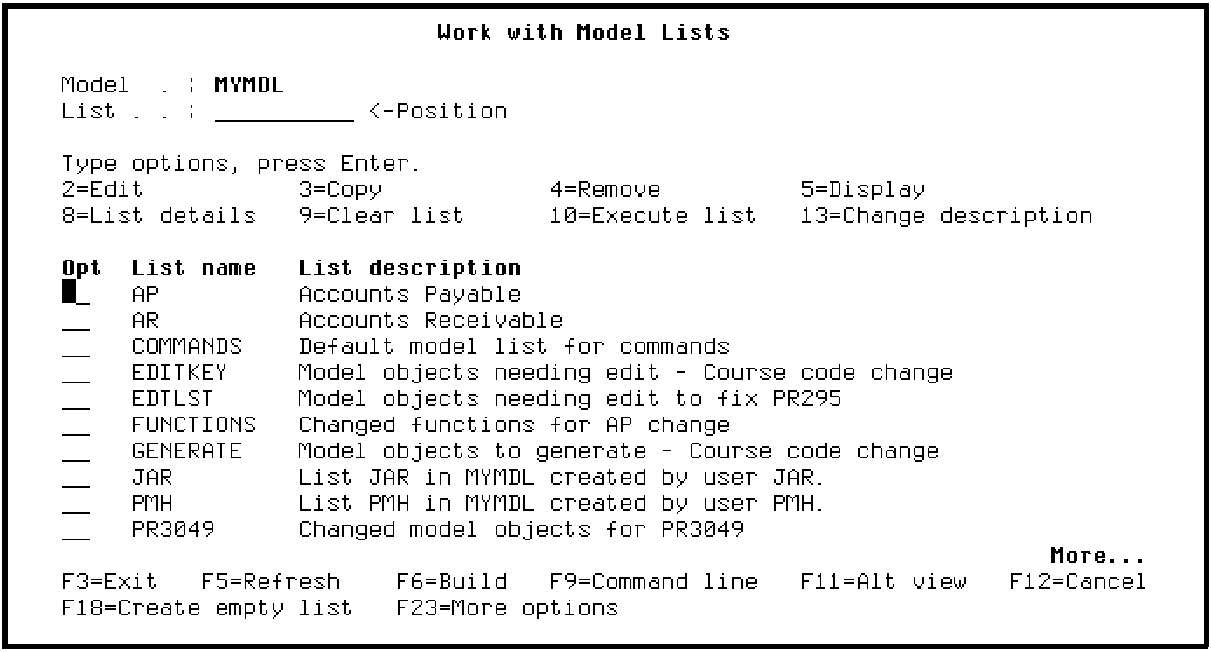
For any list displayed you can do the following:
If you type option 2 in the Subfile selector of any list, the Edit Model Object List panel displays for the selected list. As a result, this panel provides another method of entering your model.
Press F3 to return to the Edit Model Object List panel for your session list.
|
Copyright © 2014 CA Technologies.
All rights reserved.
|
|