

In this step you will restore the Change Course function to your session list. Subfile selector option 11 lets you select model objects to be added to another model object list. The default for this alternate list is the Model list for commands specified in your model profile. In your case it is the same as your session list.
Type 11 in the Subfile selector for the Change Course model object.
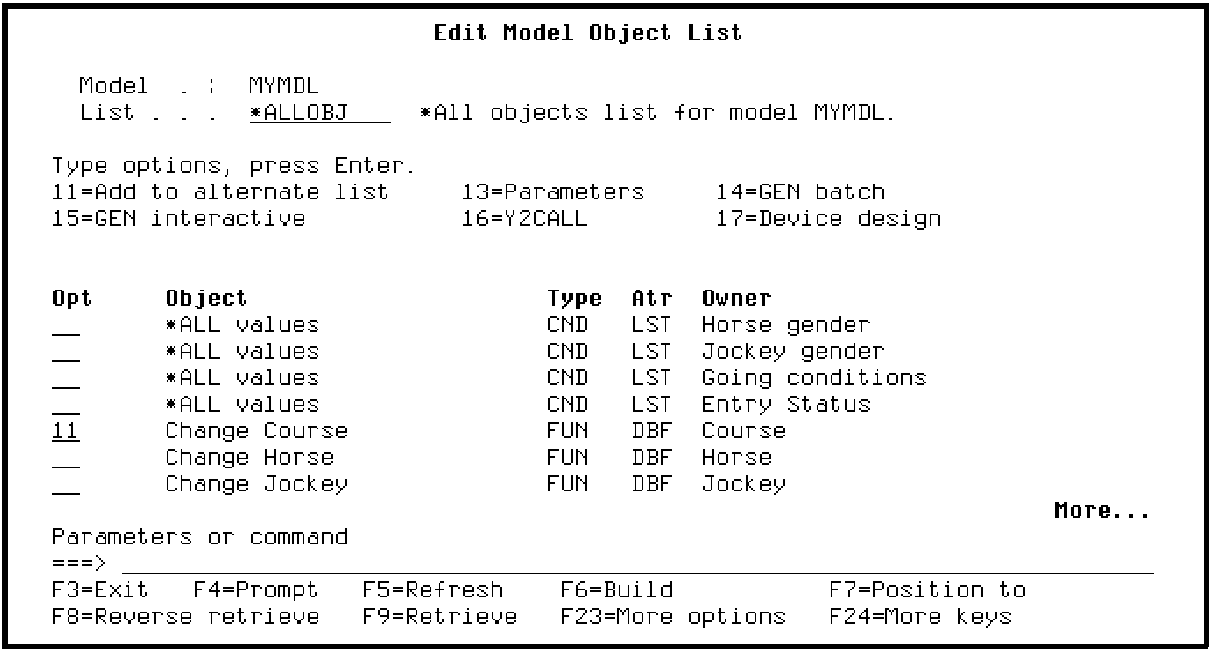
Press Enter. A message at the bottom of the panel indicates that the model object has been added to your session list.
Note: Alternatively you can press F4 instead of Enter to prompt option 11. This lets you enter the name of another alternate list or *SELECT to select from a list of all model object lists.
|
Copyright © 2014 CA Technologies.
All rights reserved.
|
|