

The Edit Model Object List panel provides two deletion options. Option 24 deletes the actual model object from the model; option 4 deletes a list entry from the displayed model object list. When you delete a model object list entry (option 4),CA 2E displays a confirm panel for each selected list entry.
Note that you cannot delete a model object if it is used by other objects in the model.CA 2E provides impact analysis tools to help you determine whether and how a model object is used by other model objects. Impact analysis is discussed later in this chapter.
Note: Because you can use a model object list as a historic record for your model, it can contain entries for model objects that you have deleted from the model. These list entries are indicated by an X to the right of the Subfile selector.
For practice you will delete a list entry from your session list in this step. You will replace it later so your session list continues to represent all changes to your model. Remember, you are deleting a list entry, not the model object.
Enter 4 in the Subfile selector for the Change Course internal function.
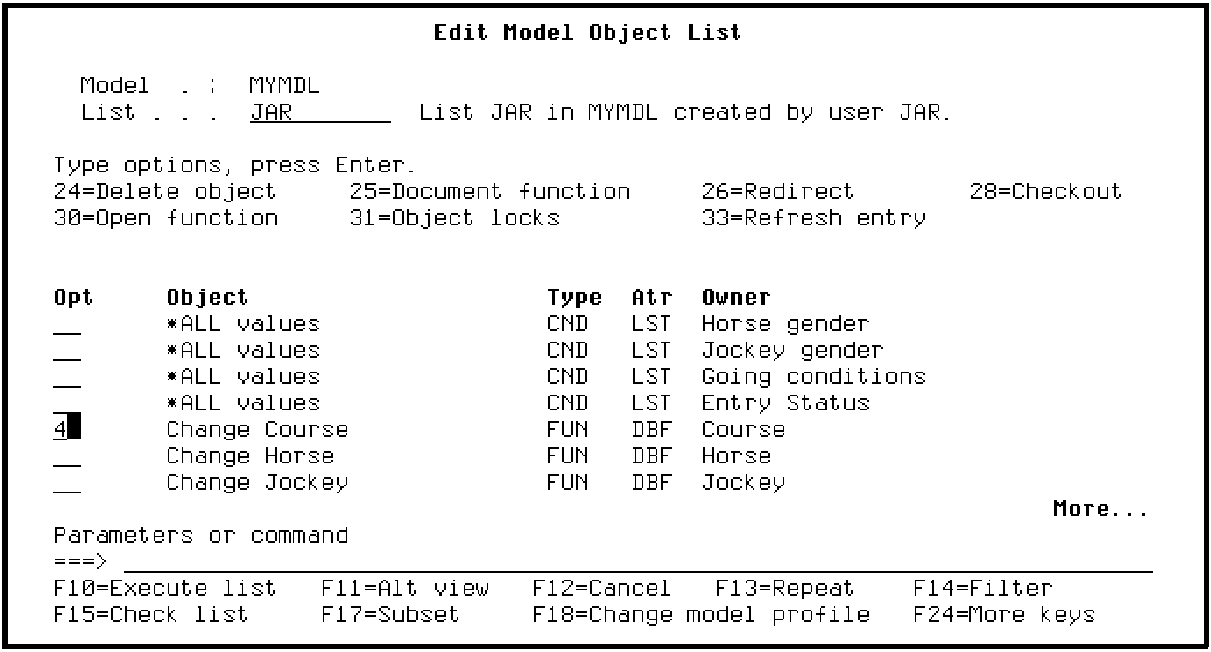
Press Enter.CA 2E displays a confirm panel.
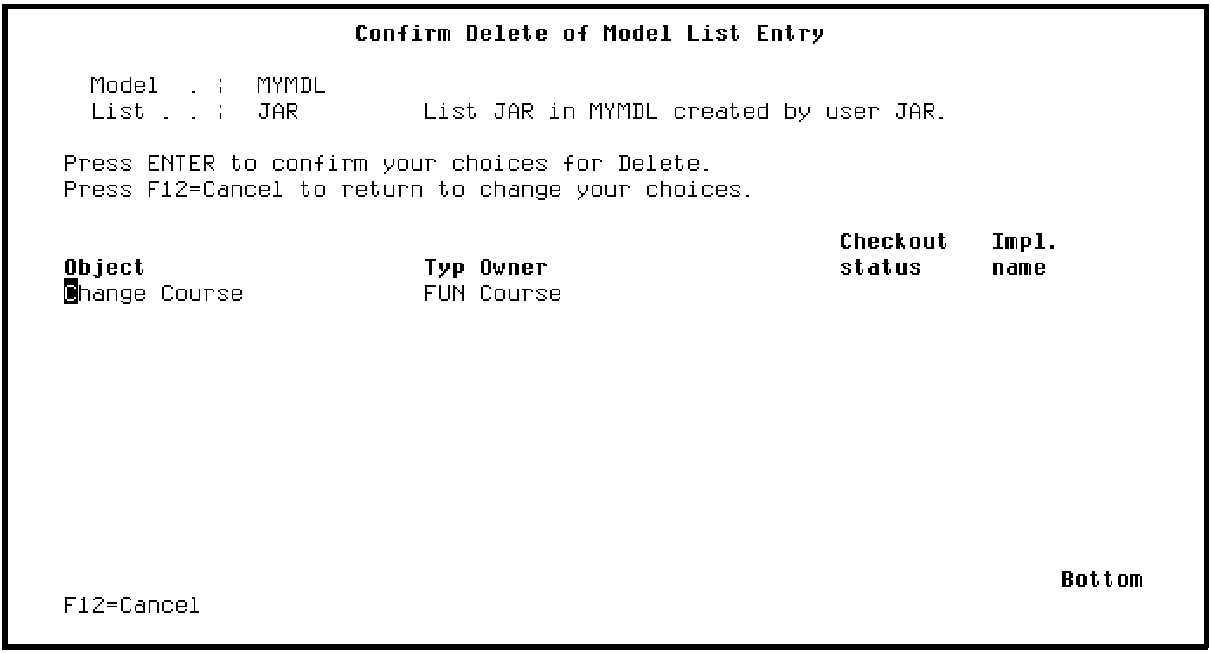
Press Enter to confirm the deletion.
|
Copyright © 2014 CA Technologies.
All rights reserved.
|
|