

Generating, Compiling, and Executing › Implementing Access Paths and Functions › Generating and Creating Objects
Generating and Creating Objects
When you submit a request for generation/compilation, the CA 2E generator automatically does the following.
- The member names to be generated are placed in a job list. The same job list controls generation and compilation. You can review this job list during generation to monitor the process and edit the job list.
- Source is produced and placed in the appropriate source file in the generation library associated with your CA 2E design model.
- The generated source is compiled from the source file.
- CA 2E assigns a status to each member on the list. Once source is successfully generated for the members,CA 2E automatically submits a request to compile the generated source. If errors occur,CA 2E flags the specific members in error.
You can submit generations and compilations of all the items in the list from the Display Services Menu.
To submit your generation/compilation request, select the Submit model create request (YSBMMDLCRT) option.
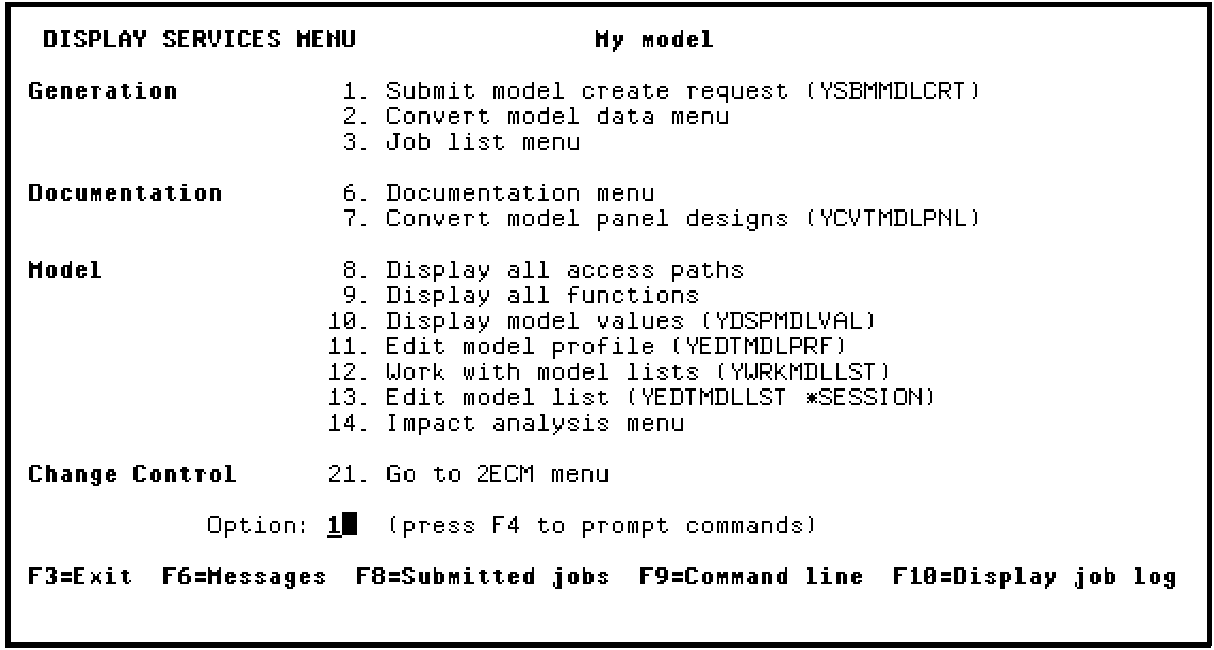
Press Enter to execute the Submit Model Create Requests (YSBMMDLCRT) command.
Note: CA 2E supplies default parameter values for the YSBMMDLCRT command based on your model profile and options you specified when you created your model. You can override these defaults by pressing F4 instead of Enter to prompt the command.
Copyright © 2014 CA Technologies.
All rights reserved.
|
|