

The Display All Functions panel displays a list of all functions in the design model. It lets you perform many design, control, and generation tasks for one or more functions from one display.
Only external functions need to be generated and compiled. External functions can be identified by the source member name found in the GEN name column; internal functions show *N/A in this column. Start by displaying just the external functions in your design model.
To do so, type *EXT in the Type column on the selection line.
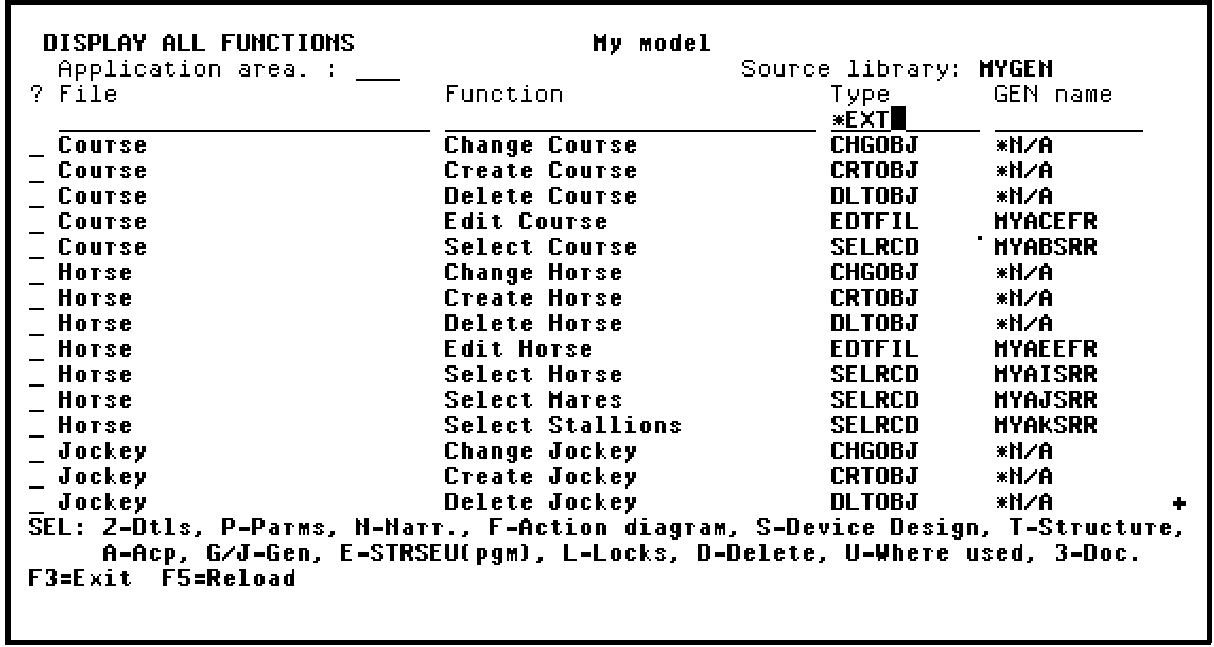
Press Enter to redisplay the Display All Functions panel showing only external functions.
Note: Write down the implementation names shown in the GEN name column for the following functions: Edit Course, Edit Horse, and Edit Jockey. You will need these later when you test the compiled programs.
Select all of the external functions for batch generation and compilation by typing a J in the Subfile selector next to each function on the list.
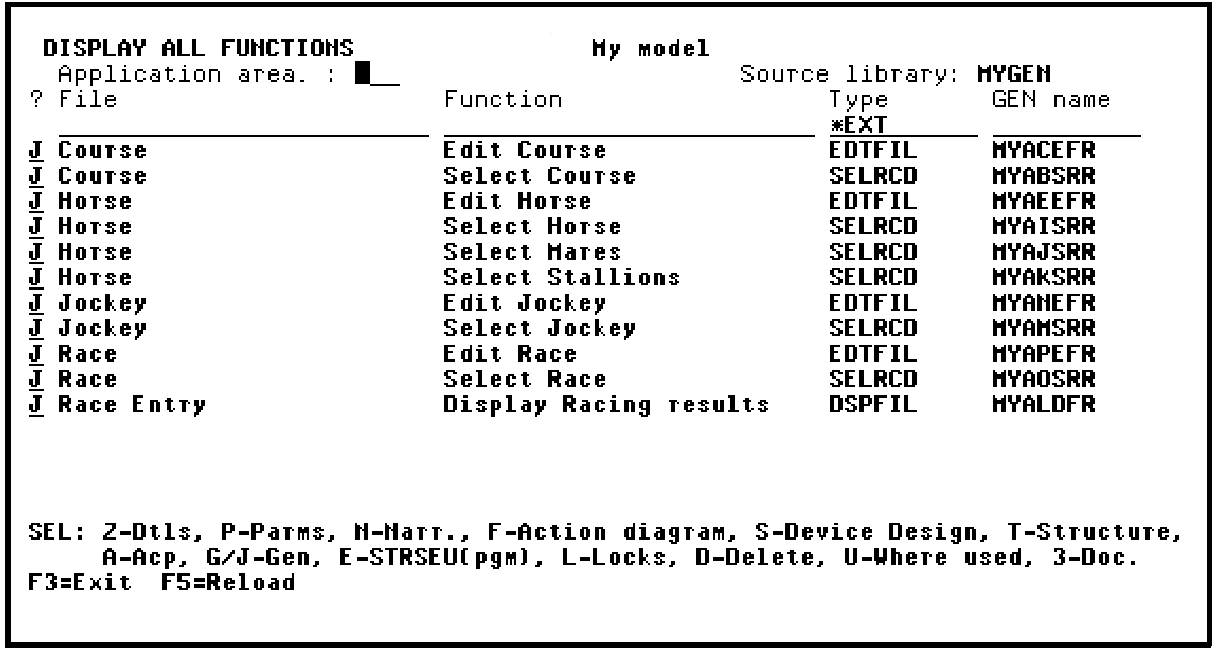
Press Enter.
|
Copyright © 2014 CA Technologies.
All rights reserved.
|
|