

To activate the action bar and call the Display Racing results program, the end user types / in the Subfile selector of the Edit Horse program. As the Edit Horse program is now designed, the / remains in the Subfile selector when control is returned to Edit Horse. To prevent this, you will add processing in the action diagram to refresh the Edit Horse panel on return from the Display Racing results function. To reload and redisplay this panel, you need to override the default value of the *Reload subfile system field. *Reload subfile is a status field with two conditions: *NO and *YES and has the PGM context.
To accomplish this task, use the method you just used to override the default value of the *Defer confirm system field. In other words, you will insert another *MOVE function to move a value of *YES to the *Reload subfile system field.
Type I= as shown to insert a *MOVE built-in function as an action in the action diagram.
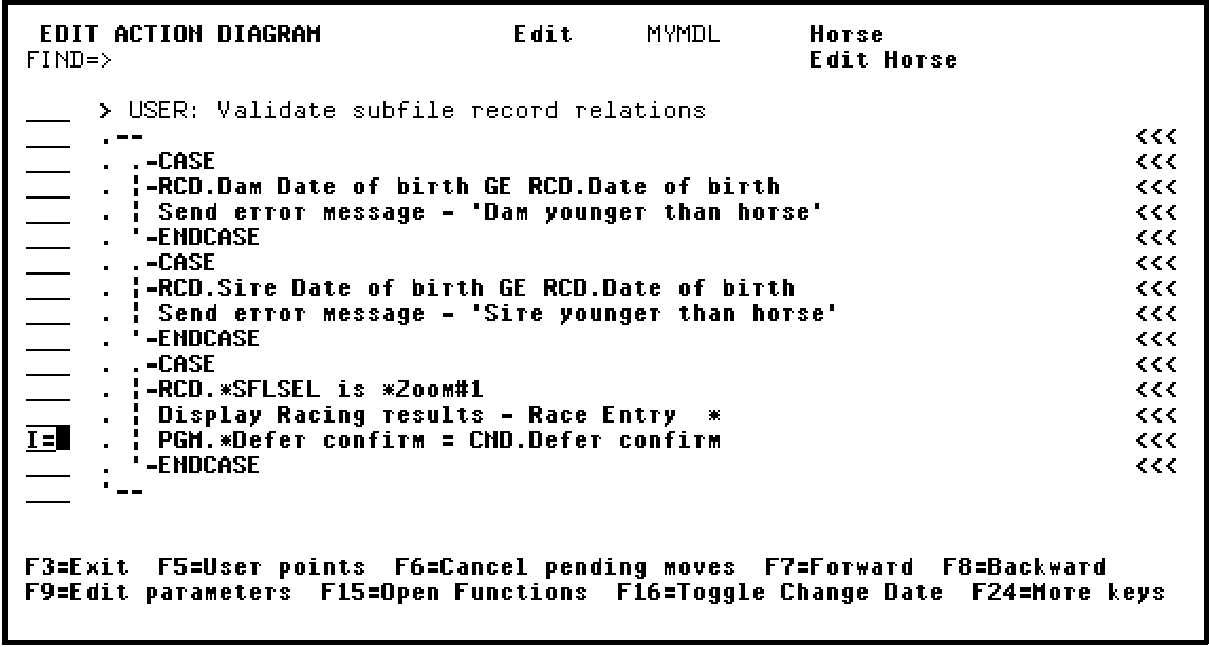
Press Enter.
|
Copyright © 2014 CA Technologies.
All rights reserved.
|
|