

To specify a reference to a function, type the name of the file to which the function is attached and the function’s name. If you enter a file name and leave the ? for the Function name field, CA 2E will display a list of functions that already exist for the file. You can select one or define a new one. In this case, the function to display race results does not yet exist. Note that the new function will be attached to the RACE ENTRY file, not the HORSE file.
Type Race Entry and leave the ?.
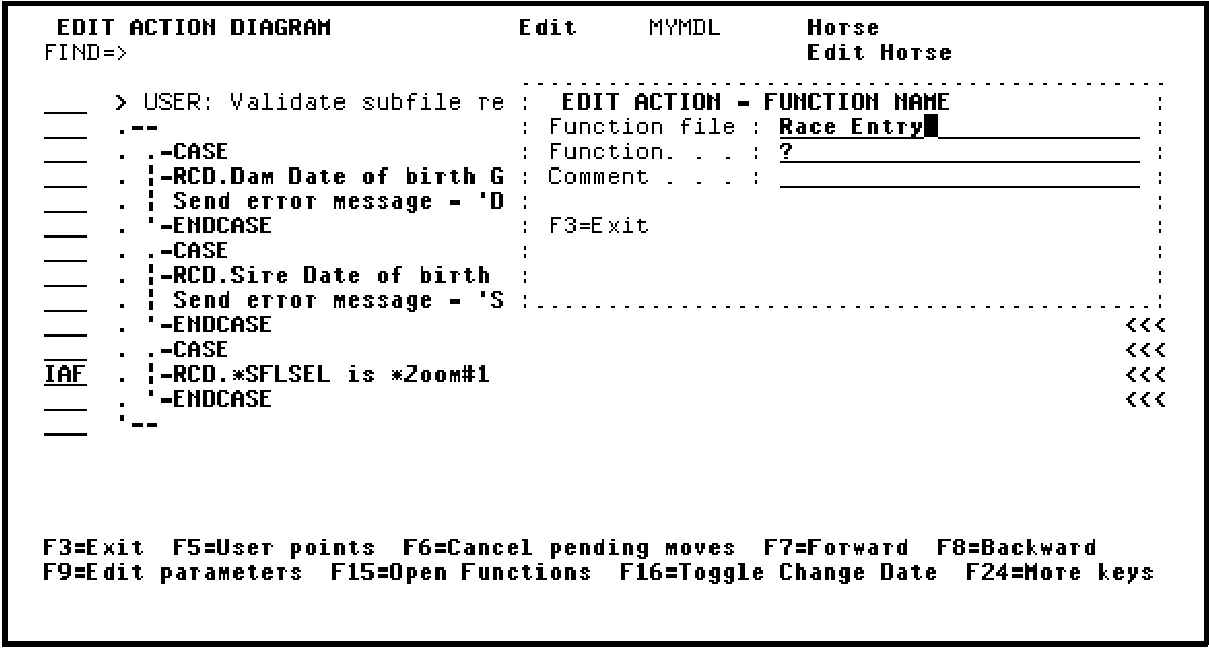
Press Enter to go to the Edit Functions panel for the RACE ENTRY file.
|
Copyright © 2014 CA Technologies.
All rights reserved.
|
|