

The Edit Field Conditions panel shows the existing conditions for the *SFLSEL field. You may select an existing condition or create a new one.
Type X against the *Zoom#1 condition.
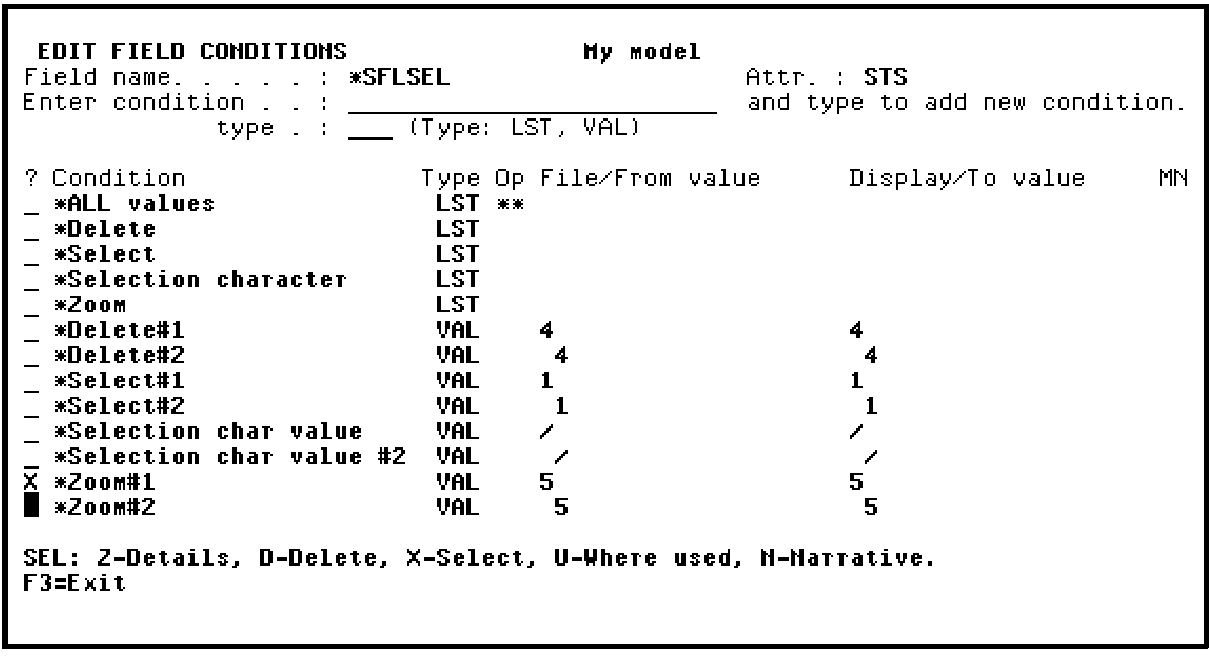
Press Enter to return to the Edit Action - Condition and note that Zoom#1 has been inserted in the Condition field. Press Enter again to return to the Action Diagram Editor.
|
Copyright © 2014 CA Technologies.
All rights reserved.
|
|